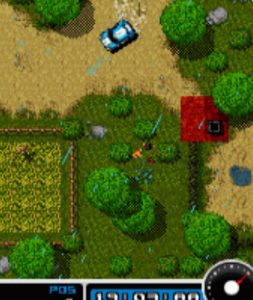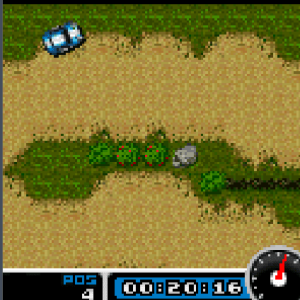
Java games download

4×4 Extreme Rally 2006 Java Game

0

Do you know that most people who played 4×4 Extreme Rally 2006 back in the day never actually finished the Championship mode?

They would get stuck around the third or fourth track, blame the controls, and quit. But the truth is, they were just missing a few small things about how this game actually works.

So today, I am going to walk you through everything — from the moment you press that first button on the menu, to the moment you cross the final finish line in first place. Let’s get started.

Quick Info Table

Attribute Detail
Game Title 4×4 Extreme Rally 2006
Genre Off-Road Arcade Rally Racing
Platform Java ME (Mobile Phones)
Perspective Top-Down / Isometric
Game Modes Championship, Time Attack, Single Race
Controls Numeric Keypad (2, 4, 6, 8, 5, *, #)
Terrain Types Desert, Snow, Mud, Rocky Mountain

History & Background

Back in 2006, mobile gaming was a completely different world. We didn’t have app stores filled with free-to-play racers with 3D graphics and online leaderboards.
What we had were .jar files, 128×160 or 240×320 pixel screens, and games that had to be good mechanically because they couldn’t rely on flashy graphics. 4×4 Extreme Rally 2006 came out right in the middle of this golden era of Java mobile gaming.
Developed for the Java ME platform, this game was designed to give you a full off-road rally experience on a device that probably had less processing power than a modern calculator. And somehow, it worked.
The game gave you multiple 4×4 trucks, a full championship season, and terrain that actually changed how your vehicle handled. It wasn’t just a racing game — it was a game about managing your truck over rough ground. That is why, even years later, people still remember it.

Gameplay

Key Features Breakdown

Before we get into the actual gameplay, you need to understand what you are working with.
This isn’t a generic racer where every car feels the same.
Vehicle Selection: You get several 4×4 trucks, and each one has different stats. Some are fast but slide everywhere. Some are slow but grip the mud like they are glued to it. You cannot just pick the fastest truck every time and expect to win.
Track Variety: The game throws you into desert sand, thick mud, snow-covered paths, and rocky mountain trails. Each surface changes your traction completely. What works on desert will kill you on snow.

Game Modes

  • Championship Mode: This is the main event. Multiple races, points system, and the difficulty ramps up fast.
  • Time Attack: Just you against the clock. Perfect for learning tracks without AI trucks ramming you.
  • Single Race: Pick any unlocked track and truck. Good for practice.
Damage System: Crash into walls or other trucks too many times, and your handling gets worse. Your truck starts pulling to one side, or your top speed drops. This matters more than you think.

How to Play — Step-by-Step Practical Guide

Launching the Game and Navigating the Menu

When you first start the game, you will see the title screen with the 4×4 Extreme Rally 2006 logo.
Press 5 to continue from the title screen. Do not press anything else — 5 is your main “OK” button in this game.
You will now see the main menu. Use 2 to move the selection up and 8 to move it down. The options are usually something:
  • New Game / Championship
  • Time Attack
  • Single Race
  • Options
  • Help
  • Exit
Press 5 to select whatever you want. If you are just starting out, I recommend going into Single Race first to get a feel for the controls.
But if you want the full experience, select Championship and press 5.
Now you will see the truck selection screen. Use 4 and 6 to scroll left and right through the available trucks.
Each truck shows its stats — Speed, Acceleration, Handling, and Grip. For your very first race, I suggest picking the truck with the highest Grip stat, even if it is not the fastest.
Trust me on this. Once you have selected your truck, press 5 to confirm.
Next, you will see the track selection or the first track of the championship. Press 5 again to start.

Pre-Race Screen

Before the race begins, you usually get a short track preview showing the layout and terrain type. Pay attention to this. If the preview shows a lot of tight turns, you know you need a truck that handles well. If it shows long straight desert roads, you want speed. Press 5 one more time to launch the race.

The Controls (Exact Numeric Keypad Instructions)

Here is exactly how the controls work in 4×4 Extreme Rally 2006:
  • Press and hold 8 to accelerate.
  • Press 2 to brake.
  • Press and hold 2 while stopped to reverse.
  • Press 4 to steer left.
  • Press 6 to steer right.
  • Press 5 to activate the handbrake (this is crucial for tight corners).
  • **Press *** to toggle the mini-map or change camera view (depending on your version).
  • Press # to pause the game.
That is your entire control scheme. Simple, but mastering the timing of these buttons is what separates first place from last place.

Practical Race Walkthrough

Let me walk you through exactly what happens when you are actually playing.
The Start: When the race begins, you will see a countdown — 3, 2, 1, GO. The moment you see GO, press and hold 8 immediately. Do not wait. Every millisecond counts, especially in Championship mode where the AI trucks get aggressive early.
The First Corner: Here is where most new players mess up. They hold 8 all the way into the turn, then slam 2 at the last second. What happens? They slide straight into the wall. Let me show you how to do it properly.
As you approach the first corner, release 8 about one second before the turn. Then press 4 to start turning left. If it is a sharp corner, press 5 while holding 4 — this engages the handbrake and lets you drift.
The moment your truck is pointing at the exit of the corner, release 5, press 8 again, and straighten out with 6. That is the basic cornering rhythm: release 8 → press 4 + 5 → release 5 → press 8 → straighten with 6.

What Happened to Me on the Mud Track: I remember the first time I hit the mud section on Track 3.

I was holding 8 like it was a desert straight, and my truck just started spinning. I pressed 6 to correct, but I overcorrected and hit the left wall. Then the AI trucks passed me. So what did I do on my next attempt?

As soon as I saw the brown mud texture on the ground, I started tapping 8 instead of holding it. Short taps. When I needed to turn, I tapped 4 gently, never held it for too long.

The truck stayed stable. I even used the handbrake (5) less in the mud because sliding there is a death sentence. Instead, I braked early with 2, turned slowly with 4, then accelerated out with 8. That is how you beat the mud.

Overtaking the AI: The AI in this game loves to block you on narrow paths. I was behind this blue truck on the mountain track for almost ten seconds.
Every time I tried to pass on the left, he drifted left. So I did this: I stayed behind him, tapped 8 to keep my speed, and waited for the next wide corner. As soon as we entered the turn, I pressed 5 + 6 to handbrake-drift to the inside line.
I cut under him while he took the wide line, then I mashed 8 on the exit. That is how you overtake — not on straights where they block you, but in corners where you can take a better line.
Recovering from a Crash: You will crash. Everyone does. When you hit a wall and spin out, do not panic-mash buttons. First, release everything. Look at which direction your truck is facing. If you are facing the wrong way, press 2 to reverse slightly, then press 4 or 6 to turn around.
Once you are facing forward, press 8 gently. Do not floor it immediately — if you are in snow or mud, you will just spin in place. Ease back into the race.

The Snow Section:
Snow is actually harder than mud in this game. On the snow track, I learned that you should almost never use the handbrake (5). The truck is already sliding enough. Instead, you have to plan your corners three seconds early.
Press 2 early, let the truck slow down, then gently press 4 or 6 to coast through the turn. Only when you are fully straightened out do you press 8 again. If you try to power through snow like it is tarmac, you will end up facing backward.
Using the Mini-Map: If your version has a mini-map that you can toggle with *, use it.
On the desert tracks, there are hidden shortcuts that are hard to see because the sand color blends with the track edges.
I pressed * to turn on the map, spotted a narrow gap between two rocks that wasn’t obvious on the main screen, and cut through it. That shortcut saved me about three seconds per lap.
But be careful — some shortcuts are slower if you take them wrong because they put you on rough terrain.

Championship Mode Progression

Championship mode is not just a series of races. Your points carry over. You do not need to win every single race to win the championship, but you need to be consistent.
If you crash out and finish 5th in one race, do not restart the whole championship — just focus on getting 1st or 2nd in the next two races to make up the points.
As you progress, the AI gets faster and more aggressive. By the final two tracks, they will literally ram you off the road if you give them the chance. So stay ahead of them. Do not let them get alongside you on narrow sections.

Advanced Tips & Strategies

Tuning Your Driving Style: There are two ways to drive in this game — aggressive and smooth. Aggressive means you are drifting every corner with 5, cutting across dirt, and taking risks.
This works on desert tracks where grip is low anyway. Smooth means you brake early, take the racing line, and avoid sliding. This works on snow and mud. Match your style to the terrain.
Track Memorization: After you finish a race, mentally note where you crashed or lost time. The next time you play that track, brake five meters earlier at that spot. Five meters is the difference between crashing and flying through cleanly.
AI Behavior Patterns: The AI trucks follow a very predictable racing line. They do not take shortcuts. They brake at the same spots every lap. Once you learn this, you can exploit it. On the final lap, if you are behind an AI truck going into a corner you know well, brake later than him, cut inside with 5 + 4 or 6, and steal the position.
The “Feather” Technique: On slippery terrain, do not hold 8 or 2 continuously. Tap them. Tap-tap-tap 8 to maintain speed without breaking traction. This is especially useful when you are trying to keep a lead on snow.

Beginner Mistakes to Avoid

1: Holding 8 Constantly I see this all the time. New players think racing games are about holding the accelerator down forever. In 4×4 Extreme Rally 2006, holding 8 through a corner is how you end up in a wall. Release 8 before turns. Accelerate out of the turn, not into it.
2: Ignoring the Terrain Players pick the fastest truck and then wonder why they cannot turn on the snow track. Look at the terrain preview before the race. If it is snow, pick the truck with the best Grip. If it is desert, pick Speed. Match your truck to the ground.

3: Braking Too Late
You see the wall coming, you panic, you slam 2 at the last second, and you slide into the wall anyway. The fix is simple: brake early. If you think you are braking too early, you are probably braking at the right time. The game rewards early braking way more than late braking.

4: Never Using the Handbrake
Some players never touch 5 because they think it is only for show-offs. Wrong. The handbrake is how you take tight corners without losing all your speed. On dry rocky terrain, tap 5 + 4 or 6 mid-corner and you will rotate the truck perfectly. Just do not use it on snow — that is a guaranteed spin.

5: Giving Up After One Bad Race
In Championship mode, one bad race does not end your season. I once crashed twice on the mud track and finished 4th. I was furious. But I won the next three races because I learned from those crashes, and I still won the championship. Consistency beats perfection.

Comparison with a Game I Played

I also spent a lot of time with Colin McRae Rally on mobile — the Java version that came out around the same era. Both games are rally racers, but they feel completely different.
Colin McRae Rally was more simulation-focused. The co-driver called out corners, the physics were stricter, and one mistake usually ruined your entire stage. It was brilliant, but punishing.

4×4 Extreme Rally 2006
is more arcade-focused. The trucks are heavier, the drifting is more forgiving, and you can recover from mistakes because the AI isn’t perfect either.
Where Colin McRae Rally wins is in realism and tension. Every corner feels life-or-death. Where 4×4 Extreme Rally 2006 wins is in accessibility and fun factor. You can pick it up, play for five minutes, crash three times, and still win the race. It is the better game for short mobile sessions.
Personally, if I want a serious challenge, I play Colin McRae Rally. But if I want to relax and still feel like I am driving something powerful through beautiful terrain, I always come back to 4×4 Extreme Rally 2006.
There is something satisfying about wrestling a big 4×4 truck through a mud slide that a realistic rally car just doesn’t replicate.


JAR

Conclusion

4×4 Extreme Rally 2006 is more than just a nostalgic mobile game. It is a genuinely well-designed racer that teaches you to read terrain, manage momentum, and adapt your driving style. Master the controls, respect the surfaces, and use that handbrake wisely. Now get out there and finish that Championship.
What is your best memory with this game? Drop your favorite truck and track in the comments below.


FAQ — Frequently Asked Questions


How do I unlock the hidden trucks and tracks in Championship mode?


You do not unlock them with cheat codes. In 4×4 Extreme Rally 2006, hidden content is tied to your championship performance.
Finish in the top 3 overall in the championship season, and you will unlock the bonus desert truck and the snow mountain track.
If you finish 1st in every single race, you may also unlock a secret “Extreme” difficulty truck with maxed-out stats. My advice: do not restart the championship every time you finish 4th. Just stay consistent — the unlocks are based on total points, not perfection.

Why does my truck keep spinning out on snow even when I am barely turning?

Because you are probably still holding 8 (accelerate) while trying to turn. On snow, the grip stat drops to almost zero for every truck.
The game simulates this by making your rear wheels lose traction the moment you combine steering with throttle.
The fix: completely release 8 before the turn, coast through the corner using only 4 or 6, and only press 8 again once your truck is pointing straight. If you must slow down more, tap 2 gently — never hold it.

Can I save my championship progress, or do I have to finish it in one sitting?

Yes, you can save. After each race in Championship mode, the game will prompt you to save.
Press 5 to confirm the save. Do not skip this. Java ME games on older phones sometimes crashed or lost battery, and if you did not save after every race, you could lose an entire season’s progress.
If your version does not auto-prompt, look for a “Save” option in the pause menu by pressing # after the race results screen.


What is the best truck for beginners?

The truck with the highest Grip stat — usually the green or brown one in the selection screen. It is not the fastest, but it forgives your mistakes on mud and snow. Speed is useless if you are sliding into a wall every ten seconds. Once you learn the tracks, switch to the high-speed truck for Time Attack records.
 Is there a difference between Single Race and Championship mode in terms of AI difficulty?
Yes. In Single Race, the AI trucks are slower and less aggressive. They basically follow the racing line and rarely block you.
In Championship mode — especially from Track 4 onward — the AI will actively ram you on narrow paths and cut inside you at corners. Do not treat Championship like a relaxed Single Race. The AI is programmed to punish lazy driving.


My truck feels slower after I crash a few times. Is that real or am I imagining it?

It is real. The game has a light damage system. Repeated wall collisions reduce your top speed and can make your truck pull slightly to the left or right. You will notice this most on long desert straights where your max speed is lower than it was in Lap 1. The only fix is to stop crashing. There is no pit stop or repair mechanic in this game.

How do I beat the AI on the mud track? They seem faster than me even when I am driving perfectly.

The AI trucks on the mud track are programmed to take a very specific racing line that avoids the deepest mud patches. If you are driving down the middle of the track, you are actually driving through the slowest terrain. Look at the ground texture — the darker brown strips are deep mud. The lighter brown edges are firmer ground. Stick to the edges, tap 8 instead of holding it, and you will match their speed. I learned this the hard way after losing to the same blue truck three times in a row.

Does the handbrake work on every terrain?

No. The handbrake (5) is excellent on dry rock and desert sand. It lets you drift tight corners without losing much speed. On snow and thick mud, using 5 is almost always a mistake — it causes an instant spin. On those surfaces, use normal braking (2) and gentle steering instead.


Are there any shortcuts I should know about?

Yes, but they are risky. On the desert track, there is a narrow gap between two rock formations about halfway through the lap. If you squeeze through it, you skip a wide corner.
But if you hit the rocks, you crash and lose more time than you saved. Only attempt it once you have practiced the track in Time Attack mode. On the mountain track, there is no real shortcut — just stay on the paved path and avoid the gravel edges.


The game feels too hard. Should I lower the difficulty?

If your version has a difficulty setting in the Options menu, set it to “Easy” for your first championship run. But honestly, the game is not that hard once you understand the terrain mechanics. Most players struggle because they drive every track the same way. Drive desert fast and loose. Drive snow slow and careful. Drive mud with short taps. Once you adapt your style to the ground, the difficulty drops significantly.
Leave A Reply

Your email address will not be published.