

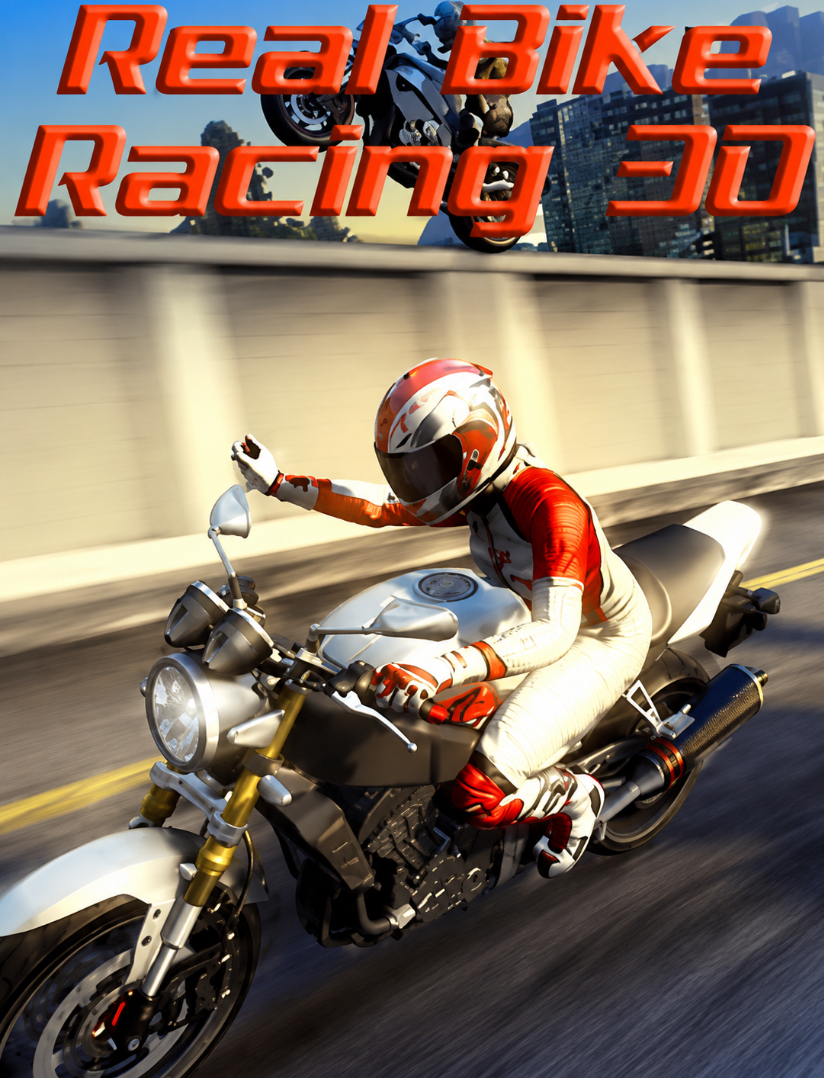
Do you know that how good of a racer you are in Real Bike Racing 3D Java game and how often you win or lose a race highly depends on how well you understand the controls and the physics of this game?
Back in the J2ME era, when mobile phones had physical keypads and screens barely stretched past two inches, developers were doing something incredible — squeezing 3D motorcycle racing onto hardware that had no business running it. Real Bike Racing 3D was one of those titles that made you stop and think, “How did they get this running on my phone?”
If you’re here, chances are you either grew up with this game and want to revisit it, or you’ve just discovered it and want to know what the fuss was about. Either way, this guide will walk you through everything — from the moment you boot it up, through every menu, every button press, every corner, and every mistake I made so you don’t have to. Let’s get started.
Game Snapshot
| Attribute | Details |
|---|---|
| Game Title | Real Bike Racing 3D |
| Platform | Java (J2ME) / Mobile |
| Genre | 3D Motorcycle Racing |
| Typical Resolution | 240×320, 176×220, 128×160 |
| Game Modes | Career, Time Trial, Quick Race, Championship |
| Key Features | 3D graphics, multiple bikes, varied tracks, rearview mirror |
| Control Scheme | Numeric keypad (2, 4, 6, 8, 5, 0, *, #) |
History & Background of Real Bike Racing 3D Java Game
The mid-2000s to early 2010s was the golden age of J2ME (Java 2 Micro Edition) gaming. Before smartphones took over with their touchscreens and app stores, java games was in existence on small mobile game. I can remember then, i was using Motorola and i have real bike racing game inside it,
Real Bike Racing 3D emerged during this era as one of the more ambitious racing titles. While most mobile racers of the time were flat, 2D sprite-based affairs, this game attempted proper 3D rendering — or at least a very convincing pseudo-3D effect — on screens that were smaller than a modern credit card.
The draw distance was short, the frame rate choppy at times, but the sense of speed was real. When you hit the straightaway and the scenery started blurring past, it felt like you were actually riding something powerful.
The game was developed for feature phones — Nokia, Samsung, Sony Ericsson, Motorola — and came in multiple screen resolution variants. The 240×320 version was the premium experience, offering the sharpest visuals and most responsive controls. Smaller resolutions existed for budget phones, but they compromised on draw distance and detail.
What made Real Bike Racing 3D special wasn’t just the technical achievement. It was the purity of the gameplay. No microtransactions, no energy systems, no ads interrupting your race. Just you, a bike, a track, and your skill with the keypad. That simplicity is why players still search for it today.
Key Features Breakdown
For a J2ME title, Real Bike Racing 3D pushed boundaries. The bikes were rendered with enough detail that you could distinguish between models. Tracks featured elevation changes, tunnels, cityscapes, and open highways. The draw distance was limited — you’d see pop-in as the track ahead loaded — but once you were moving, your brain filled in the gaps.
The HUD was functional and clean: speedometer, lap counter, position indicator, and a small rearview mirror that actually showed opponents behind you. That mirror wasn’t just decoration — it was essential for knowing when someone was about to overtake.
Bike Roster
The game featured multiple motorcycle classes:
-
Sport Bikes: High top speed, moderate handling. Best for straight tracks.
-
Superbikes: Balanced stats. Good all-rounders for most courses.
-
Street Bikes: Lower top speed but excellent acceleration and handling. Ideal for technical tracks with lots of corners.
-
Chopper/Cruiser: Heavy, slow to accelerate, but stable. Rarely the best choice unless you enjoy a challenge.
Each bike had visible stats for Speed, Acceleration, and Handling. Early career bikes were underpowered, but as you progressed and earned credits, you unlocked machines that genuinely felt faster.
Track Variety
Tracks ranged from city circuits with tight 90-degree corners to open highway stretches where you could hit maximum speed. Some tracks featured:
-
Urban environments: Buildings, traffic barriers, narrow roads.
-
Coastal highways: Long straights with scenic backdrops.
-
Mountain passes: Elevation changes and hairpin turns.
-
Night races: Reduced visibility, requiring memorization of the track layout.
Game Modes
Career Mode: The heart of the game. You start with a basic bike and race through a series of events, earning prize money to upgrade or purchase new motorcycles. Difficulty ramps up gradually — early races are against slow opponents on simple tracks, later races demand perfection.
Time Trial: Just you against the clock. No opponents, no distractions. This is where you learn tracks inside-out and shave seconds off your best times.
Quick Race / Arcade Mode: Jump into any unlocked track with any unlocked bike. Perfect for practice or when you only have five minutes.
Championship: A series of races where points accumulate across events. Consistency matters more than winning a single race.
How to Play Real Bike Racing 3D Java Game
When you first start Real Bike Racing 3D, you’ll see a title screen with the game’s logo and maybe a short intro animation. Press 5 to continue past any intro screens.
You’ll arrive at the Main Menu. Here’s what you’ll see and how to navigate it:
-
Use 2 to move the selection cursor up.
-
Use 8 to move the selection cursor down.
-
Use 4 to move left (if there are horizontal options).
-
Use 6 to move right.
-
Press 5 to select/confirm any highlighted option.
-
Press the Left Soft Key (usually above the green call button) to go back or access a submenu.
-
Press the Right Soft Key (above the red end call button) for options/help depending on context.
Main Menu Options you’ll see:
-
Career — Start the career mode progression.
-
Quick Race — Jump into a single race.
-
Time Trial — Practice against the clock.
-
Options — Adjust sound, difficulty, and controls.
-
Help — Basic control reference.
-
Exit — Close the game.
What I do first: Before racing, I always go into Options. Press 8 three times to highlight “Options,” then press 5. Inside, I make sure:
-
Sound Effects: ON (engine audio helps with timing shifts and cornering).
-
Music: Personal preference, but I usually turn it OFF during serious races so I can hear the engine.
-
Difficulty: Start on Easy if you’re new. The AI is more forgiving, and you earn credits faster to unlock better bikes.
Press the Left Soft Key to save settings and return to the main menu.
Starting Your First Race
Let’s say you’re starting Career Mode. Here’s exactly what happens:
-
From the Main Menu, press 8 once to highlight “Career,” then press 5.
-
You’ll see a career map or event list. Use 2 and 8 to scroll through available events. Locked events are grayed out.
-
Press 5 on an unlocked event to see details: track name, number of laps, prize money, and recommended bike class.
-
Press 5 again to confirm, or Left Soft Key to go back.
-
You’ll reach the Bike Selection screen. Your available bikes are shown. Use 4 and 6 to scroll through them. Stats display at the bottom.
-
Press 5 to select your bike.
-
A loading screen appears, then the Pre-Race Screen shows: your position on the grid, track layout preview, and lap count.
-
Press 5 one more time to start.
In-Race Controls & Exact Button Presses
This is where everything matters. Here are the exact controls:
| Action | Button |
|---|---|
| Accelerate / Throttle | Hold 8 |
| Brake | Press 5 |
| Steer Left | Tap or hold 4 |
| Steer Right | Tap or hold 6 |
| Nitro / Speed Boost | Press 0 or ***** (when available) |
| Pause | Press # or Left Soft Key |
| Look Back / Rearview | Press 3 (on some versions) |
| Reset Bike | Press 7 (if you crash and get stuck) |
Important: These are the standard J2ME racing controls. Some phone models may map slightly differently, but 8 for accelerate, 5 for brake, 4 and 6 for steering is the universal standard.
Practical Race Walkthrough: What I Do Lap by Lap
Let me walk you through exactly how I handle a typical race. This is a three-lap city circuit with tight corners and one long straight.
The Start: The lights go green. I immediately hold 8 to accelerate. I don’t tap it — I hold it down firmly. The bike launches forward. Within two seconds, I’m hitting 60 km/h.
First Corner (Tight Right): I see the corner approaching. At about three bike-lengths from the turn, I release 8 and tap 5 twice — brake, brake. The bike slows. I tap 6 to start turning right. I don’t hold 6 too long or I oversteer into the wall. Short taps. As I exit the corner and the bike straightens, I hold 8 again to power out.
The Straightaway: This is where I make up time. I hold 8 continuously. The speed climbs — 80, 100, 120 km/h. I check the rearview mirror by pressing 3. An opponent is two bike-lengths behind me. Good, I’m holding position.
Second Corner (Hairpin Left): This one is sharper. I release 8 earlier this time — about four bike-lengths out. I press 5 three times in quick succession: brake, brake, brake. The bike slows dramatically. I tap 4 to turn left.
The bike leans into the corner. I’m going slow enough that I don’t slide out. As soon as I’m pointing at the exit, I hold 8 again and tap 6 briefly to straighten up.
What happens if I mess up: One time, I braked too late here. I held 5 but I was still going too fast. The bike slid wide and hit the barrier. I lost three positions instantly. Now I brake earlier and trust the corner exit speed more than the entry speed.
The Long Straight & Overtake: Back on the straight, I’m in 3rd place. The two leaders are ahead. I notice my nitro meter is full (it fills as you draft behind opponents and maintain high speed). I press 0 to activate nitro.
The bike surges forward — the screen shakes slightly, the speed jumps to 140+. I overtake the 2nd place rider on the left by holding 4 briefly, then 6 to tuck back in front. I use the remaining nitro to close the gap on 1st place.
Final Lap, Last Corner: I’m right behind the leader. We’re both entering the final corner. I know if I try to overtake on the inside, we’ll both crash. So I stay behind, take the racing line — brake with 5, turn with 4, power out with 8 — and I’m right on his tail exiting the corner. The finish line is 100 meters ahead. I press 0 again (my nitro refilled slightly from drafting) and surge past him right at the line.
Race over. 1st place.
Post-Race: Results, Rewards & Progression
After crossing the finish line, the Results Screen appears. It shows:
-
Your final position (1st, 2nd, 3rd, etc.)
-
Lap times for each lap
-
Total race time
-
Prize money earned
-
Championship points (if applicable)
Press 5 to continue. You’ll return to the Career map. The event you just completed will show a checkmark or trophy icon. New events may unlock. Your prize money is added to your total.
To buy a new bike: From the Career map, look for a “Garage” or “Shop” option (usually at the bottom of the screen). Navigate to it with 8, press 5. Browse bikes with 4 and 6. When you find one you can afford, press 5 to purchase. The new bike is now available in all modes.
Advanced Tips & Strategies
Cornering Technique: The Racing Line
The fastest way through any corner is not the shortest path — it’s the one that lets you carry the most speed. Here’s what I do:
-
Approach wide: Stay toward the outside of the track before the corner.
-
Brake in a straight line: Never brake while turning. Brake before the corner with 5.
-
Apex the inside: Tap 4 or 6 to cut toward the inside of the corner at the midpoint.
-
Accelerate out wide: As you exit, hold 8 and let the bike drift toward the outside. This gives you the straightest, fastest exit.
Drafting
When you’re directly behind an opponent, you catch their slipstream. Your speed increases slightly even without holding 8 as hard, and your nitro meter fills faster. I use this to save nitro for the perfect moment — usually the final straight.
Nitro Management
Don’t waste nitro on corners or when you’re already at top speed. The best times to use it:
-
Exiting a corner onto a long straight (builds maximum speed).
-
The final stretch to overtake a leading opponent.
-
Recovering from a crash when you’ve fallen behind.
Track Memorization
Each track has a rhythm. After three or four runs, I know exactly where to brake, where to cut inside, and where the AI opponents tend to slow down. Time Trial mode is perfect for this — no opponents, just you learning the track.
Bike Selection Strategy
-
Straight tracks (highway, coastal): Pick the bike with the highest Speed stat. Handling matters less.
-
Technical tracks (city, mountain): Pick the bike with the best Handling and Acceleration. You’ll lose time on straights but gain it back in corners.
-
Wet or night tracks: Handling becomes even more critical. A stable bike saves you from slides.
Beginner Mistakes to Avoid
1: Holding Accelerate Through Corners This is the number one reason new players crash. You see a corner, you panic, and you keep holding 8 while turning. The bike slides out and you hit the wall.
Solution: Release 8 before the corner, brake with 5, then turn. Only accelerate again when you’re pointing at the exit.
2: Wasting Nitro at the Start Using nitro immediately when the race begins feels exciting, but you’re usually bunched up with opponents and can’t use the speed effectively. Solution: Save nitro for the first long straight or when you have clear track ahead.
3: Ignoring the Rearview Mirror New players focus only on what’s ahead. But opponents overtake from behind constantly, especially on straights. Solution: Press 3 regularly to check behind you. If someone is closing in, block their line by positioning your bike in their path.
4: Choosing the Fastest Bike on Every Track That superbike with 200 km/h top speed looks tempting, but on a tight city circuit, it handles like a brick. Solution: Match the bike to the track. Handling beats raw speed on technical courses.
5: Forgetting to Save Some J2ME versions don’t auto-save after every race. If your phone dies or you exit accidentally, you lose progress. Solution: After a successful race or bike purchase, look for a “Save” option in the pause menu or main menu. Press 5 to confirm.
Comparison with a Game I Played: Real Bike Racing 3D Java Game vs. Road Rash Java game
Before I get to the conclusion, let me compare Real Bike Racing 3D with another game I spent a lot of time with — Road Rash Mobile (the Java version). Both are motorcycle racers from the J2ME era, but they approach the genre very differently.
Combat vs. Pure Racing: Road Rash is famous for its combat. You can punch opponents, swing clubs, and kick riders off their bikes. Real Bike Racing 3D has none of that — it’s pure racing. No weapons, no violence, just speed and skill. I actually prefer Real Bike Racing 3D for this reason. Road Rash’s combat is fun for a while, but it gets repetitive. Real Bike Racing 3D’s focus on clean racing makes every victory feel earned.
Controls: Road Rash uses similar keypad controls (8 accelerate, 4/6 steer, 5 attack), but the steering feels looser. Real Bike Racing 3D’s handling is tighter and more predictable. I can place my bike exactly where I want it, which matters on narrow tracks.
Progression: Road Rash has a money system where you buy bikes and repair them after crashes. Real Bike Racing 3D’s Career mode is more structured — clear events, unlock new ones, buy better bikes. It feels more like a traditional racing championship.
Graphics: Road Rash has a grittier, more stylized look. Real Bike Racing 3D goes for a cleaner, more realistic 3D presentation. On a 240×320 screen, Real Bike Racing 3D looks more impressive.
Replay Value: Road Rash is better for short bursts — pick up, punch someone, laugh, put down. Real Bike Racing 3D rewards longer sessions. Mastering a track, shaving seconds off your Time Trial, finally affording that superbike — these are the moments that keep me coming back.
Which do I recommend? If you want fun and nostalgia for the Sega classic, play Road Rash Mobile. If you want a genuine racing challenge that tests your skill and patience, Real Bike Racing 3D is the better choice. I play both, but when I want to feel like I’ve actually accomplished something, I fire up Real Bike Racing 3D.
Why Real Bike Racing 3D Still Holds Up
In an age where mobile games demand constant internet connections, bombard you with ads, and lock content behind paywalls, Real Bike Racing 3D feels like a breath of fresh air.
It’s under 500KB, runs offline, and every victory is yours alone. No algorithm matching you against whales with maxed-out bikes. Just you, the keypad, and the track.
The 3D graphics may look primitive now, but the sense of speed is timeless. When you’re holding 8 down a straightaway, nitro engaged, opponents in your mirror, and the finish line approaching — that adrenaline rush doesn’t care what year it is.
Conclusion
Real Bike Racing 3D is more than a nostalgia trip. It’s a genuinely well-designed racing game that rewards practice, patience, and smart decision-making.
Start on Easy, learn the controls, master the corners, and work your way up to the faster bikes and harder events. Use Time Trial to memorize tracks. Save your nitro for the right moments.
And most importantly — brake before the corner, not during it.
If you apply the tips in this guide, you’ll go from crashing on lap one to winning championships. Now get out there, hold down that 8 key, and ride like you mean it.
Frequently Asked Questions
What is the best bike in the game?
The final superbike unlocked in Career mode typically has the best overall stats, but the “best” bike depends on the track. Handling matters more than top speed on technical courses.
How do I unlock all tracks?
Complete Career mode events progressively. New tracks unlock as you finish earlier ones and earn enough points.
Have your own Real Bike Racing 3D tips or high scores? Share them in the comments below — I’d love to hear how you’re doing out there on the track.
