

Do you know that how good you are at this game and how often you win or lose a race depends less on your car’s top speed and more on how well you manage your nitro and know the exact moment to dodge a helicopter missile?
I spent weeks grinding through all seven chapters of the Gameloft Java version back when feature phones were king, and I still remember the muscle memory of pressing 5 to burn Super Boost and 6 to swerve past roadblocks. So today, I am going to give you a complete breakdown that will turn you from a rookie who keeps crashing in Chapter 3 into someone who dominates the final Wanted events. Let us get started.
Fast & Furious 6 Java Table
| Detail | Information |
|---|---|
| Developer | Gameloft |
| Release Year | 2013 |
| Platform | Java ME (J2ME) / Feature Phones |
| Genre | Arcade Racing |
| Game Modes | Career, Normal Race, Time Attack, Drift, Elimination, Collector, Wanted |
| Career Structure | 7 Chapters, 5 Events per Chapter |
| File Size | Approx. 500KB – 1MB (varies by screen resolution) |
| Special Mechanics | Super Boost, Helicopter Hazards, Car Upgrades |
History & Background: When the Franchise Hit Java Phones
In 2013, the Fast & Furious franchise was already a global phenomenon, and Gameloft had the mobile license. While smartphone users got a 3D version with swipe controls, the real hidden gem for me was the 2D Java version built for feature phones.
This was not a lazy port. Gameloft built a full career mode with seven distinct chapters, multiple race types, and a progression system that actually made you think about which car to upgrade.
On a 240×320 screen with a physical keypad, this game delivered a level of depth that most mobile arcade racers today have forgotten how to make. It respected your time, but it also demanded skill.
Screenshot
Key Features Breakdown
Career Mode Structure
The heart of the game is the Career, split into 7 chapters. Each chapter contains 5 events, and you cannot just brute-force your way through. You need to earn stars or meet specific objectives to unlock the next chapter. By Chapter 4, the game stops holding your hand.
Race Mode Varieties
- Normal Race: Standard 4-car grid. Finish first.
- Time Attack: Beat the clock. No opponents, just your own mistakes.
- Drift: Accumulate drift points within the lap limit. This is where most players quit the game out of frustration.
- Elimination: Last place gets eliminated every 20 seconds. You must stay aggressive.
- Collector: Grab money icons scattered across the track while still racing. Ignore the cash, and you cannot afford upgrades later.
- Wanted: The signature mode. You are racing while a helicopter hunts you. It drops explosives and tries to lock on. This is the mode that separates casual players from veterans.
Super Boost System
Unlike basic nitro, Super Boost triggers under specific conditions—usually when you are behind and hit a certain speed threshold or collect a special icon.
It gives you a massive, uncontrollable surge of speed. The trick is steering while it is active, because you will be moving faster than your car’s handling stat can comfortably manage.
Helicopter Hazards
Unique to this Java version, the helicopter is not just background decoration. It appears in Wanted and some late-game Normal Races.
It has a lock-on warning (a red icon flashes above your car), and if you do not change lanes immediately, you get hit. It is the most unfair mechanic in the game, and once you learn the timing, it becomes your favorite source of adrenaline.
Car Roster & Customization
You start with a basic tuner. As you progress, you unlock muscle cars, exotics, and Dom’s iconic vehicles. Each car has four stats: Top Speed, Acceleration, Handling, and Nitro. You can upgrade each stat multiple times using cash earned from Collector events and race winnings.
How to Play Fast & Furious 6 Java Game in 2026
Booting Up & Main Menu Navigation
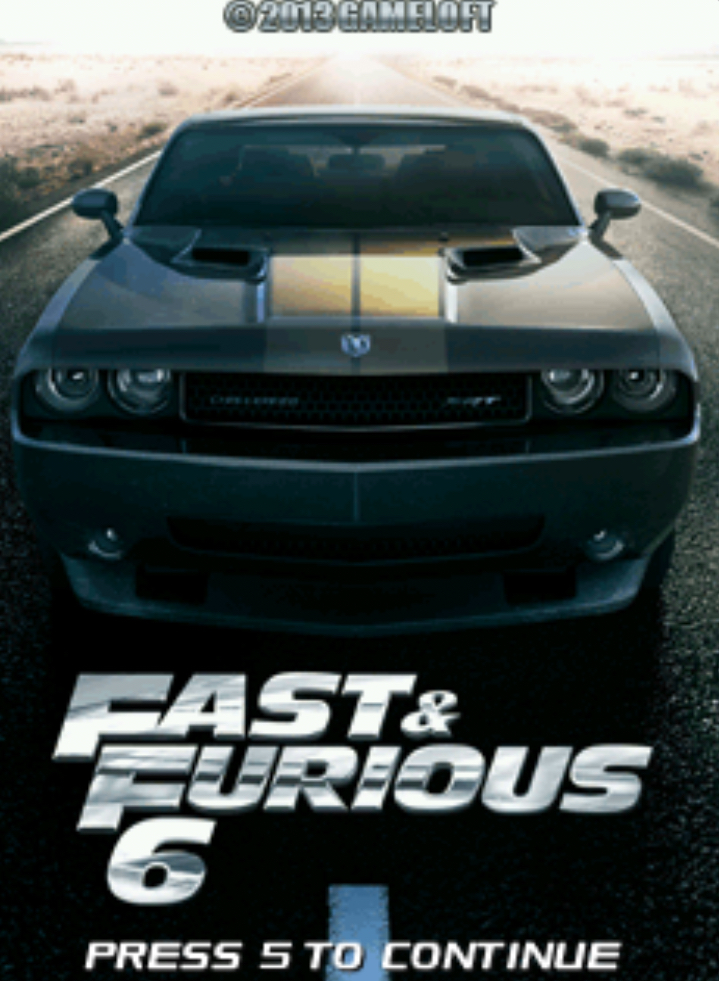
When you launch the game, you see the title screen with the Fast & Furious 6 logo and engine sounds. Press 5 to confirm and enter the Main Menu.
You will see:
- Career
- Quick Race
- Options
- Help
Use 2 to move the cursor up and 8 to move the cursor down. Press 5 to select. If you want to go back at any time, press the * (star) key or the left soft key depending on your phone model. I learned the hard way that pressing the red End Call button sometimes kicks you straight to the phone home screen, so always use * to back out.
Starting Your First Career Race
Here is the exact path I take every time:
- From Main Menu, press 5 on Career.
- You are now at Chapter Select. Chapter 1 is highlighted. Press 5.
- You see 5 event icons. The first one is unlocked. Press 5 to select it.
- The game shows you a pre-race screen with the event type (e.g., “Normal Race”) and recommended car stats. Press 5 again to continue.
- You enter the Car Select screen. Your starter car is highlighted. If you have multiple cars, use 4 and 6 to scroll left and right through your garage. Press 5 to lock in your choice.
- The countdown starts. The race begins.
In-Race Driving Controls (Exact Keypad Layout)
This is the layout that Gameloft used for most of its Java racing games, and it is what I used for every single race:
- Press and hold 2: Accelerate. You will do this 90% of the race.
- Press 4: Steer left.
- Press 6: Steer right.
- Press 8: Brake / Reverse. You rarely need this, but in tight corners or when the helicopter drops a barrel, you will thank yourself.
- Press 5: Activate Nitro / Super Boost. Tap it when the nitro bar is full.
- Press 0: Handbrake. Essential for initiating drifts in Drift Mode.
- Left Soft Key: Pause the race. From here, you can Resume, Restart, or Quit.
Navigating the Garage & Upgrade Shop
After you finish a race and earn cash, you should upgrade. Here is how:
- From the Chapter Select screen, scroll down to Garage using 8, then press 5.
- You are in your car list. Use 4 and 6 to switch between owned cars.
- Press 5 to select a car. You now see Upgrade, Select, and Back.
- Choose Upgrade with 5.
- You see four categories: Engine, Handling, Nitro, Tires. Use 2 and 8 to move between them.
- Press 5 to purchase the upgrade. If you are broke, the game tells you immediately.
My personal experience, let me walk you through
Let me walk you through a Wanted mode event in Chapter 4 that almost made me delete the game.
I started the race. I pressed and held 2 to accelerate off the line. The three AI cars surged ahead because their stats were higher. I did not panic. I tapped 5 once to burn a small nitro burst and caught up to third place by the first straight.
Then the helicopter icon turned red above my car. I saw the warning. I immediately pressed 6 to swerve into the right lane, then pressed 4 to center myself. The missile hit the left lane exactly where I would have been. That dodge alone saved me five seconds.
Coming into the second lap, I was in second place. The leader was pulling away. I waited. My nitro bar hit maximum. I pressed 5 and held 2 simultaneously. The Super Boost kicked in. My car was now moving so fast that the background was blurring. But there was a sharp corner ahead. I pressed 8 to brake for a split second, then pressed 4 to drift through the corner. I did not use 0 here because I needed to maintain momentum.
I overtook the leader. The helicopter locked on again. This time, I pressed 6 early, then 4 to fake it out, then back to 6. The missile missed. I crossed the finish line in first place.
That is the level of precision this game demands. You are not just holding 2 and hoping. You are reacting.
Advanced Driving Techniques to Win Every Mode
Perfect Launch Timing
In drag-style starts and some Time Attack events, you get a countdown. Do not just hold 2 early. Wait for the exact moment the “GO” appears, then press 2. If you time it right, you get a perfect launch boost that does not even consume nitro.
Drift Chaining for Maximum Points
Drift Mode is where most players fail. The trick is to enter the corner at medium speed, press 0 (handbrake) while holding 4 or 6, then release 0 and counter-steer with the opposite direction key. For example: approach a right corner, press 0 + 6, then as the car slides, release 0 and tap 4 to stabilize. Do not hold the drift too long or you spin out. Chain three clean drifts in one lap, and your score multiplier explodes.
Nitro Economy
You have a limited nitro bar. The biggest mistake is burning it all on the starting straight. Instead, hold it for:
- The final straight to the finish line.
- A sharp corner exit where you need to recover lost speed.
- When the helicopter locks on and you need to create distance.
Dodging Helicopter Rockets & Set-Piece Hazards
When the helicopter appears, watch the color of the lock-on icon above your car. Yellow means it is tracking. Red means it is firing. The moment you see red, you have less than a second. Press 4 or 6 immediately. Do not wait to see the missile. If you are in the middle lane, move to either side. If you are already on the edge, move to the center. The missile always targets your current lane.
Drafting / Slipstreaming
In Normal Race and Elimination, if you are directly behind an opponent car for about two seconds, you will see small speed lines on your car. You are drafting. This refills your nitro slightly and gives you a hidden speed boost. Use this to slingshot past them with a nitro tap.
Wanted Mode Survival
In Wanted mode, your goal is not just to win. It is to survive. Sometimes, taking first place early makes you the helicopter’s primary target. I have won races by staying in second place until the final lap, letting the leader absorb the missiles, then overtaking at the last corner with a Super Boost.
Car Selection & Upgrade Strategy in Fast & Furious 6 Java Game in 2026
Best Starter Cars
Your first car is underwhelming, but do not rush to buy the second cheapest option. Save your cash. The first real upgrade is the muscle car unlocked after Chapter 2. It has balanced stats and does not sacrifice handling for speed.
Stat Priority Guide
- Top Speed: Important for Time Attack and long straight tracks.
- Acceleration: Essential for Normal Race and Elimination. You recover from crashes faster.
- Handling: Critical for Drift mode and Wanted mode where you dodge constantly.
- Nitro Efficiency: Determines how fast your nitro bar refills. Underrated. Prioritize this if you rely on boost-heavy strategies.
Upgrade Path Recommendations
Do not spread your money thin. Pick one car per chapter and max it out. I recommend this path:
- Chapters 1–2: Max Acceleration and Handling on your starter.
- Chapters 3–4: Buy the Chapter 3 unlock and max Engine and Nitro.
- Chapters 5–7: Save aggressively for the exotic unlock in Chapter 5. Max everything.
Late-Game Unlockables Worth the Grind
The final exotic car in Chapter 6 has maxed Top Speed and decent Nitro. Once you own it and fully upgrade it, Chapter 7 becomes manageable. Without it, the final Wanted event is nearly impossible because the AI cars outpace you on straightaways.
Chapters 1–3: Learning the Physics
These chapters teach you the basics. Complete all 5 events in each chapter before moving on. Farm the Collector events here. They are easy and give you the cash you need for later. Do not skip the Drift events even if you hate them. The practice pays off in Chapter 5.
Chapters 4–5: The Difficulty Spike
Chapter 4 is where the AI starts cheating. They take perfect racing lines and their cars are suddenly faster than yours. If you are stuck here, you did not farm enough in Chapter 3. Go back, replay the Collector event, earn 3,000 more cash, and upgrade your Engine and Nitro. Chapter 5 introduces the helicopter in Normal Races. You cannot outrun it with speed alone. You must dodge.
Chapters 6–7: Endgame Requirements
By Chapter 6, you need a fully upgraded car from Chapter 5 or the new Chapter 6 unlock. The events are longer, and the helicopter is relentless. In Chapter 7, the final Wanted event has you evading the helicopter for three full laps while racing against maxed AI. My strategy: stay in second until the final 20 seconds, then burn everything.
Comparison with a Game I Played: Need for Speed: Most Wanted (Java Version)
Before I played Fast & Furious 6, I was obsessed with Gameloft’s Need for Speed: Most Wanted on Java. Both games share the same DNA: cop evasion, nitro boosts, and a career mode locked behind star requirements. But they feel very different.
Need for Speed: Most Wanted is heavier. Your car feels like it has weight, and police integration is deeper—you are constantly shaking heat levels and repairing your car at hideouts. The tracks are more complex, with shortcuts and destructible elements.
Fast & Furious 6 is faster and more arcade-focused. The Super Boost mechanic does not exist in Most Wanted, and the helicopter adds a set-piece intensity that police chases in Most Wanted only achieve after several minutes of buildup. However, Most Wanted has better track variety and a more satisfying sense of progression because you are actively escaping the law, not just dodging a helicopter.
Where Fast & Furious 6 wins is accessibility. You can pick it up, run a 90-second race, and feel accomplished. Most Wanted demands longer sessions. On a feature phone with limited battery, I found myself reaching for Fast & Furious 6 more often. But if you want the better “illegal street racing” fantasy on a 240×320 screen, Most Wanted still holds the crown. Fast & Furious 6 is the better racing game; Most Wanted is the better experience.
Why Fast & Furious 6 Java Still Holds Up Today
Modern mobile racers are built around energy systems, gacha mechanics, and pay-to-win upgrades. This Java game asks for none of that. It gives you a full career mode, a garage you earn through skill, and races that last two minutes. Every system serves the racing. There is no bloat. The pick-up-and-play design philosophy is something the current mobile market has abandoned in favor of engagement metrics.
Conclusion
Master the keypad, manage your nitro, and upgrade smart. That is the entire formula. This game rewards players who pay attention to timing over those who just mash buttons. If you are stuck in Chapter 4 or raging at the helicopter in Wanted mode, go back, farm some cash, and remember: swerve first, boost second. Now get back on that track and earn your place in the crew.
If you have your own Chapter 7 strategy or a favorite car build, share it. The best guides are built by players who actually held the phone and pressed the keys.
