

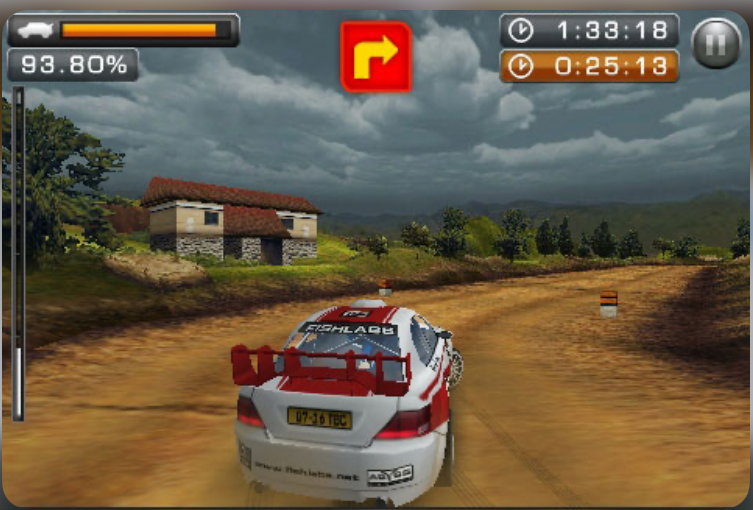
Back when mobile gaming meant something completely different—before touchscreens took over and app stores became the norm—Java games ruled the small screens. Rally Master Pro stands as one of the finest rally racing experiences from that era. Released during the golden age of mobile Java gaming, this title delivered tight, responsive rally action that still holds up remarkably well if you’re revisiting it today.
Whether you’re a retro gaming enthusiast rediscovering old favorites or someone stumbling upon this gem for the first time, this guide will walk you through everything you need to know. No fluff, no filler—just practical knowledge to make you a better driver from the moment you boot it up.
Quick Facts Table
| Attribute | Details |
|---|---|
| Release Year | 2008 |
| Developer | FISHLABS |
| Publisher | Various (carrier-dependent) |
| Platform | Java ME (J2ME) |
| Game Size | ~300-500 KB |
| Screen Resolutions | 128×128, 176×220, 240×320 |
| Game Modes | Quick Race, Championship, Time Trial |
| Cars Available | Multiple rally cars with different stats |
| Stages | Varied terrain including gravel, tarmac, snow |
History & Background
Rally Master Pro arrived at a time when mobile phones were just beginning to show what they could do beyond calls and texts. FISHLABS, the developer behind it, was already building a reputation for pushing Java ME hardware to its absolute limits. While most mobile racing games of the era were simple top-down or basic 3D affairs, Rally Master Pro aimed higher.
The game launched into a crowded market of mobile rally titles, but it distinguished itself through surprisingly competent 3D graphics for the platform and handling that actually felt like rally driving—not just arcade steering with a rally skin.
It captured the essence of what made rally special: the tension of racing against the clock, the importance of listening to your co-driver, and the thrill of barely keeping a powerful car under control on loose surfaces.
For many players, this was their first real taste of rally simulation on a mobile device. It predated the smartphone revolution by a couple of years, meaning it had to deliver its entire experience through a numeric keypad and a screen smaller than most modern smartwatch displays. That it succeeded so well is a testament to solid game design.
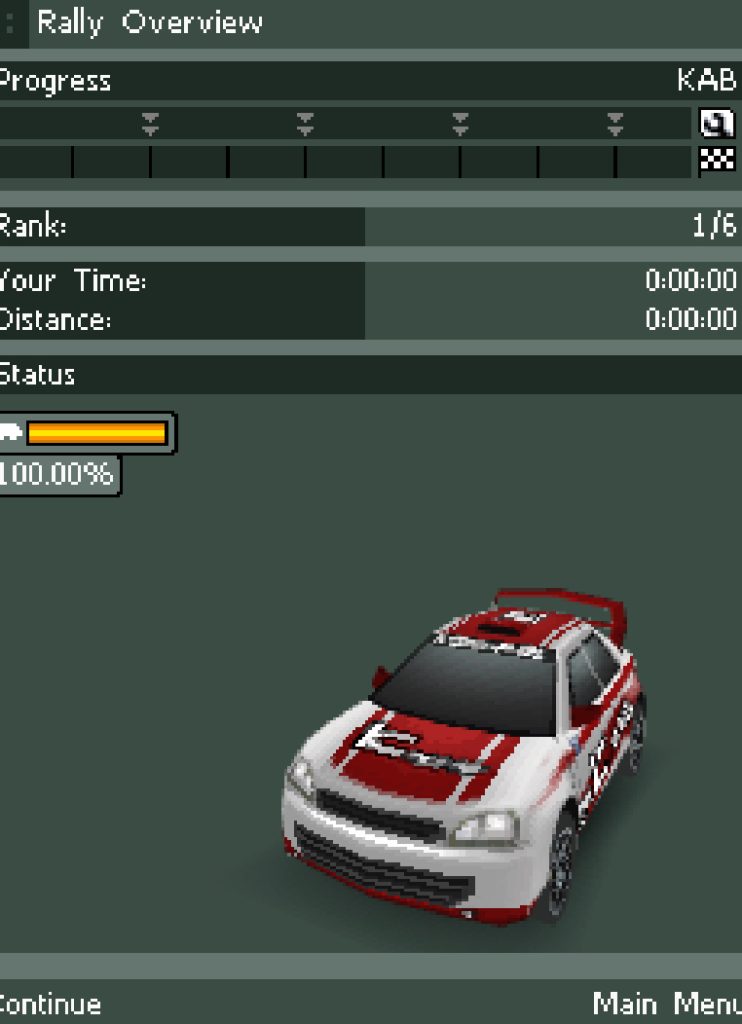
Key Features Breakdown
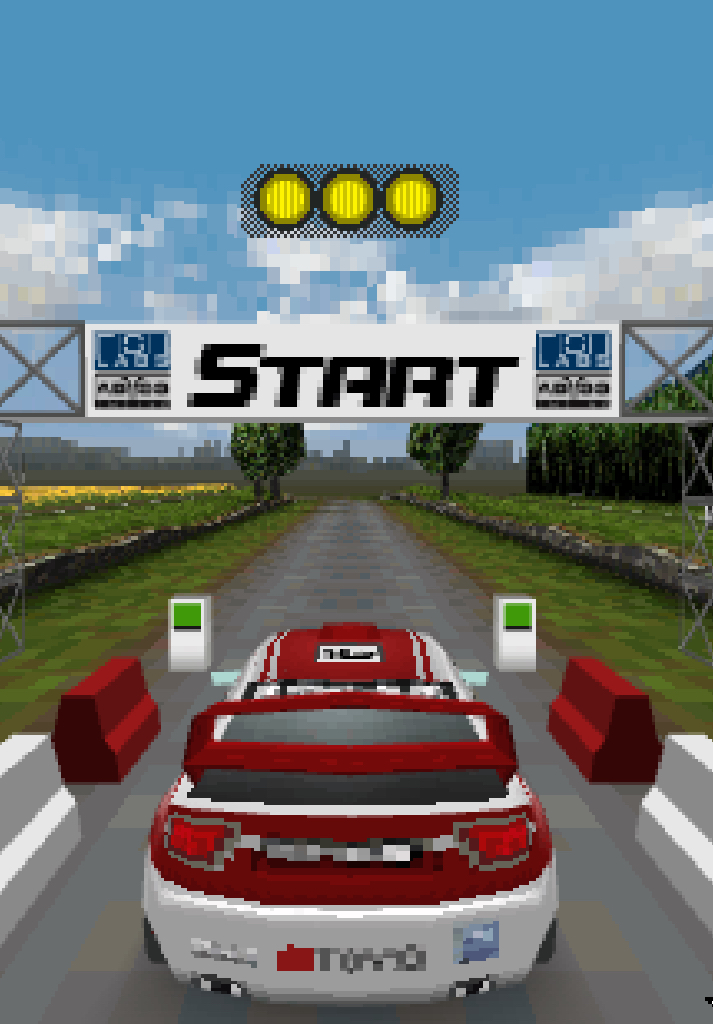
Rally Stages & Track Variety
The game features multiple rally locations, each with distinct terrain characteristics. You’ll race on tight forest tracks, wide-open gravel roads, slippery snow-covered paths, and smooth tarmac sections. Each surface type genuinely affects how your car behaves—something that wasn’t common in Java mobile games.
Car Selection & Handling Differences
Multiple rally cars are available, and they aren’t just cosmetic swaps. Heavier cars maintain momentum better but are harder to slow down for tight corners. Lighter cars are more agile but get unsettled easily on rough surfaces. Choosing the right car for the stage type matters significantly.
Weather & Terrain Effects
Rain and snow aren’t just visual touches—they reduce grip and visibility. Night stages exist too, forcing you to rely even more heavily on your co-driver’s pace notes since you can barely see the road ahead.
Game Modes
- Quick Race: Jump into a single stage immediately. Perfect for learning tracks.
- Championship: The full experience—multiple stages across different locations with cumulative times. Damage carries over between stages.
- Time Trial: Race against ghost times. Essential for mastering stages without pressure.
Physics & Engine Feel
For a Java ME title, the physics are impressively nuanced. The car has genuine weight, momentum matters, and different surfaces genuinely feel different under your tires. It’s not simulation-level, but it’s far more sophisticated than the “hold accelerator and steer” approach of most mobile racers.
How to Play Rally Master Pro Java Game
Launching the Game & Main Menu Navigation
When you first start Rally Master Pro, you’ll see the title screen with the game’s logo and some engine-revving sound effects. Press 5 to proceed past the title screen.
You’ll arrive at the Main Menu. Here’s what each option does and how to navigate:
- Use 2 to move the selection arrow up
- Use 8 to move the selection arrow down
- Press 5 to confirm/select the highlighted option
- Press 0 to go back to the previous screen
Menu Options:
- New Game: Starts a fresh Championship mode
- Continue: Loads your saved progress
- Quick Race: Jump straight into a single stage
- Time Trial: Practice any unlocked stage
- Options: Adjust sound, vibration, and difficulty
- Help: Basic in-game instructions (skip this—I’ve got you covered better)
- Exit: Closes the game
For your first time, select Quick Race to get a feel for the controls without committing to a championship.
Starting Your First Race
After selecting Quick Race, you’ll see the Stage Select screen. Use 4 and 6 to scroll through available stages, then press 5 to select one.
Next is the Car Select screen. Each car shows three stats:
- Speed: Top speed and acceleration
- Grip: How well it sticks to the road
- Handling: Responsiveness to steering inputs
For beginners, I recommend choosing a car with high Grip—it forgives mistakes better. Use 4 and 6 to browse cars, press 5 to confirm.
The Pre-Race Screen shows stage info: length, surface type, and weather. Press 5 one more time to start.
In-Game Controls & Driving Mechanics
Here’s your complete control reference:
| Action | Button |
|---|---|
| Accelerate | 8 |
| Brake/Reverse | 2 |
| Steer Left | 4 |
| Steer Right | 6 |
| Handbrake | 5 |
| Pause | 0 or # (varies by version) |
Accelerating: Press and hold 8. On tarmac, you can usually hold it full throttle. On gravel or snow, feather it—tap 8 repeatedly rather than holding it down—to avoid wheelspin.
Braking: Press 2. Brake early for corners. The car has momentum, and late braking on loose surfaces sends you straight into the trees.
Steering: Tap 4 or 6 for gentle corrections. Hold them for sharper turns. The key is smooth inputs—jerky steering unsettles the car.
Handbrake: Press 5 while steering to initiate a sharp turn or slide. Essential for hairpin corners. On gravel, tap 5 briefly while holding 4 or 6 to swing the back end around.
A Real Race Scenario: “What I Did When…”
Let me walk you through an actual difficult stage I played—Snow Stage 3, a tight forest track with ice patches.
The Start: I launched from the line holding 8 full throttle. The car accelerated well on the hard-packed snow start line.
First Corner (Right 3): My co-driver called “Right 3” meaning a medium right corner. I tapped 2 twice to brake, then held 6 gently through the turn. I kept 8 pressed about halfway—too much throttle on snow and the rear slides out.
The Ice Patch: About 15 seconds in, I hit a patch of ice I didn’t see coming. The car started sliding left toward the trees. Here’s exactly what I did: I immediately released 8, tapped 4 twice to counter-steer into the slide, then as the car straightened, I gently pressed 8 again. I saved it, but lost about 2 seconds.
The Hairpin: My co-driver called “Left 1, tightens”—a sharp left that gets sharper. I braked hard with 2 three times while still going straight, then as I approached the apex, I tapped 5 while holding 4. The handbrake swung the rear around, I released 5, counter-steered with 6 briefly, then powered out with 8. Perfect.
The Jump: Mid-stage there’s a crest that launches the car. I held 8 going up, but the moment I was airborne, I released it. Landing with throttle applied makes the car unstable. As the wheels touched down, I pressed 8 again and held 6 slightly because the landing pushed the car left.
The Finish: I crossed the line 4 seconds under the target time. Not my best, but clean.
Advanced Driving Techniques
Weight Transfer & Braking Points
The car’s physics actually simulate weight transfer. When you brake (2), weight shifts to the front tires, giving them more grip. This means you can brake while beginning to turn into a corner—the front bites harder. But brake too much while turning and the rear becomes light, causing oversteer.
Technique: Brake in a straight line first, then as you turn in, ease off 2 and gently apply steering. This is faster than braking through the entire corner.
Cutting Corners vs. Staying Clean
Cutting the inside of corners saves distance but risks hitting obstacles or going off-track into slower terrain. On gravel stages, I cut corners aggressively—there’s usually nothing but grass inside. On forest stages, don’t cut—trees don’t move, and hitting one stops you dead.
Managing Tire Grip on Different Surfaces
Table
| Surface | Throttle Approach | Braking Approach |
|---|---|---|
| Tarmac | Full 8 most of the time | Brake late, car has grip |
| Gravel | Feather 8, avoid wheelspin | Brake early, slides easily |
| Snow/Ice | Very gentle 8, patience wins | Brake very early, plan ahead |
| Wet | Moderate 8, smooth inputs | Brake earlier than dry |
Using Pace Notes Effectively
Your co-driver calls corners as numbers: Left/Right 1 (hairpin, very sharp) through Left/Right 6 (gentle curve). The calls come about 2-3 seconds before the corner.
Critical: The number tells you how much to slow down, not just which way to turn. When you hear “Left 1,” your finger should already be moving to 2 to brake. When you hear “Right 5,” you barely lift.
Beginner Mistakes to Avoid
1: Holding Full Throttle Everywhere
I see this constantly. New players hold 8 like it’s an on/off switch. On gravel and snow, this just creates endless wheelspin. You’re actually slower than someone who feathers the throttle.
Fix: On loose surfaces, tap 8 rhythmically. Imagine you’re squeezing the throttle, not stomping it.
2: Ignoring the Co-Driver
The pace notes aren’t background noise—they’re your eyes for what’s ahead. By the time you see the corner, it’s usually too late to brake properly.
Fix: Trust the calls. Brake when you hear the number, not when you see the corner. This takes practice but will transform your times.
Mistake 3: Braking While Turning Sharply
Braking hard mid-corner shifts weight forward, lightens the rear, and sends you into a spin. I did this constantly when I started.
Fix: Complete your braking before the corner. If you enter too fast, it’s better to release 8 and coast through than to slam 2 mid-turn.
4: Over-Correcting Slides
When the rear steps out, new players panic and crank the steering the other way. This creates a tank-slapper—the car snaps back and forth until you crash.
Fix: Small, smooth corrections. If the rear slides left, gently tap 4 once or twice. Don’t hold it. Let the car settle, then add throttle.
5: Not Using the Handbrake
The handbrake (5) feels scary at first, but it’s essential for tight corners. Many beginners avoid it entirely and take hairpins at crawling speeds.
Fix: Practice on Quick Race. Find a hairpin, approach at medium speed, tap 5 while steering. The car pivots. Counter-steer gently, then power out. It’s faster than any line without it.
Car Setup & Strategy Tips
While Rally Master Pro doesn’t have deep setup menus like modern sims, your car choice and approach matter significantly.
Car Selection Strategy
| Stage Type | Recommended Car Trait | Why |
|---|---|---|
| Tarmac stages | High Speed | You can carry momentum; grip is less critical |
| Gravel stages | Balanced stats | Need both speed and control |
| Snow/Ice stages | High Grip | Traction is everything; speed means nothing if you can’t use it |
| Mixed surface | High Handling | Responsive car adapts to changing conditions |
Championship Strategy
In Championship mode, consistency beats raw speed. Crashing out of one stage costs more time than being cautious across all stages. I finished my first championship by never winning a single stage but never crashing out either—and I won overall.
Damage Management
The damage indicator appears after impacts. Heavy damage reduces top speed and handling. If you’re already damaged, drive more conservatively. A slow finish is infinitely better than a DNF.
Hidden Details & Lesser-Known Features
Secret Cars
Some versions include unlockable cars. Typically, completing Championship mode on Hard difficulty unlocks a faster vehicle. Check your car select screen after finishing—the new option appears at the end of the list.
Shortcut Detection
The game actually tracks whether you cut corners legitimately or skip sections entirely. Go too far off-track and you get a penalty. But there’s a sweet spot—cutting just inside the edge of the road saves time without triggering penalties. It takes experimentation per stage.
The “Perfect Start” Technique
At the countdown before each stage, hold 8 during “1” in the countdown. Release it exactly when “Go” appears, then immediately press 8 again. Time it right and you get a perfect launch with no wheelspin. I only discovered this after dozens of races.
Co-Driver Timing
The co-driver’s pace notes adjust slightly based on your speed. Drive faster and the calls come earlier. This means if you’re pushing hard, you get more warning—but you also need to process information faster.
Comparison with a Game I Played
The game I spent the most time comparing Rally Master Pro against is Colin McRae Rally 2005 Mobile, another Java rally title from the same era.
Where Rally Master Pro Wins:
- Handling feel: Rally Master Pro’s cars feel weightier and more grounded. Colin McRae’s cars feel almost floaty by comparison, like they’re hovering slightly above the surface.
- Pace note system: Rally Master Pro’s co-driver calls are more detailed and better timed. In Colin McRae, I frequently found myself already in the corner before the call finished.
- Stage variety: The surface transitions within stages feel more natural in Rally Master Pro. Colin McRae stages tend to be one surface type throughout.
Where Colin McRae Rally 2005 Mobile Wins:
- Car roster: Colin McRae has more licensed cars with distinct visual differences. Rally Master Pro’s cars look more similar.
- Damage visualization: Colin McRae shows visible damage to your car. Rally Master Pro only has a damage meter.
- Career depth: Colin McRae’s championship mode has more stages and a better sense of progression.
Verdict: If you want the best pure driving experience on Java mobile, Rally Master Pro is the choice. If you want more content and visual polish, Colin McRae edges ahead. Personally, I keep both on my phone but find myself reaching for Rally Master Pro when I actually want to drive well.
Conclusion
Rally Master Pro remains one of the most accomplished rally games from the Java mobile era. Its combination of nuanced handling, effective co-driver system, and genuine surface differentiation made it stand out then—and it still delivers today.
Master the controls, trust your co-driver, and remember: smooth inputs beat frantic button-mashing every time. Now get out there and set some stage records.
