How To Play Tetris Revolution Java Game: The Complete Player’s Guide
 By Nathaniel AriyoPublished · 20 min read
If you have ever wondered why some players can clear 40 lines in under two minutes while others struggle to survive past level 5, the answer is not luck. It is about understanding the game at a deeper level than just “stack blocks and clear lines.”
Tetris Revolution for Java mobile phones is one of those rare puzzle games that looks simple on the surface but hides layers of strategy that separate casual players from true masters.
Released by EA Mobile in November 2009 to celebrate Tetris’s 25th anniversary, this J2ME title brought something genuinely fresh to mobile puzzle gaming. Unlike the generic Tetris ports flooding feature phones at the time, Tetris Revolution introduced 12 distinct gameplay variants, a progression unlock system, and a replay viewer that let you study your own mistakes.
I have spent countless hours with this game, and in this guide, I will walk you through everything I wish I knew when I first started. By the end, you will not just play Tetris Revolution. You will understand it.
Quick Game Info Table
| Attribute | Detail |
|---|---|
| Game Title | Tetris Revolution |
| Platform | Java ME (J2ME) |
| Genre | Puzzle / Arcade |
| Developer / Publisher | EA Mobile |
| Release Date | November 2009 |
| Game Modes | Origin, Tread, Gravity, Flood, Ledges, Laser, Magnetic, Scanner, Split, Chill, Flash, Radical |
| Key Mechanics | 12 unique variants, cascade gravity, laser survival, magnetic attraction, scanner delayed clears |
| Target Audience | Casual to competitive puzzle players |
| Unlock System | Progression-based; complete challenges to unlock new variants |
| Special Features | Master Replay system, 15 difficulty levels, COMPLETE progress tracking |
History & Background
Tetris Revolution arrived at a pivotal moment in mobile gaming history.
By 2009, EA Mobile had already established itself as the dominant force in mobile Tetris publishing after acquiring JAMDAT Mobile in 2006, which held the exclusive 15-year mobile license for the franchise. The mobile Tetris brand had surpassed 100 million installations by January 2010, making it the best-selling mobile phone game of all time at that point.
What made Tetris Revolution special was its timing. It launched during Tetris’s 25th anniversary year, and EA Mobile clearly wanted to prove that the classic formula could still evolve on modest hardware.
While other mobile Tetris games offered little more than Marathon mode with different skins, Revolution introduced genuinely creative mechanical twists. The “Revolution” in the title was not just marketing. It referred to the rotating, shifting, and transforming nature of the 12 variants that fundamentally changed how you approached the same seven tetrominoes.
The game was built for the J2ME platform, meaning it ran on the Nokia, Samsung, and Sony Ericsson feature phones that dominated the pre-smartphone era. These devices had physical numeric keypads, small color screens, and limited processing power. Yet Tetris Revolution squeezed remarkable depth out of that hardware constraint. The replay system alone was impressive for a mobile game of that era, letting you save and rewatch your best runs to analyze your decision-making.
Game Screenshots
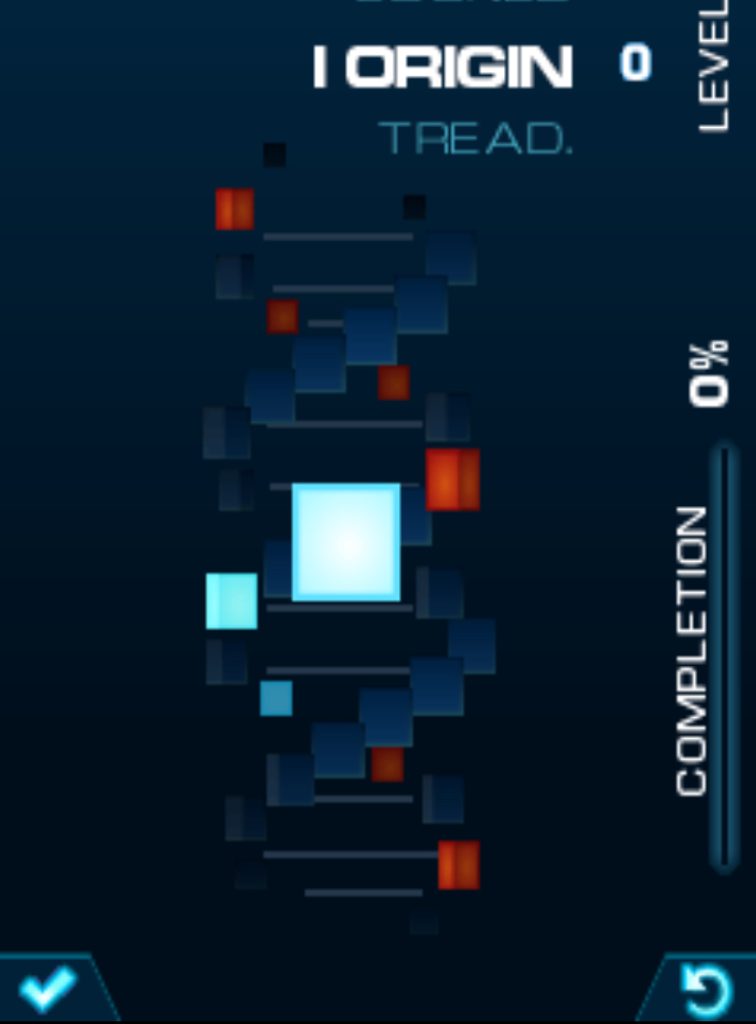
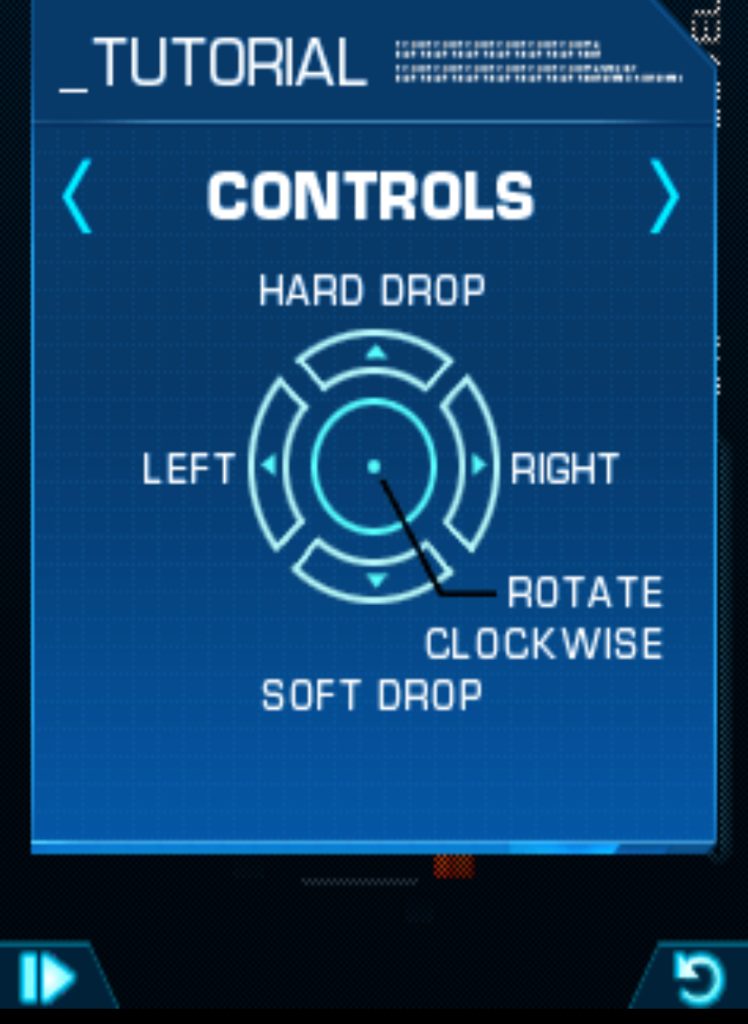
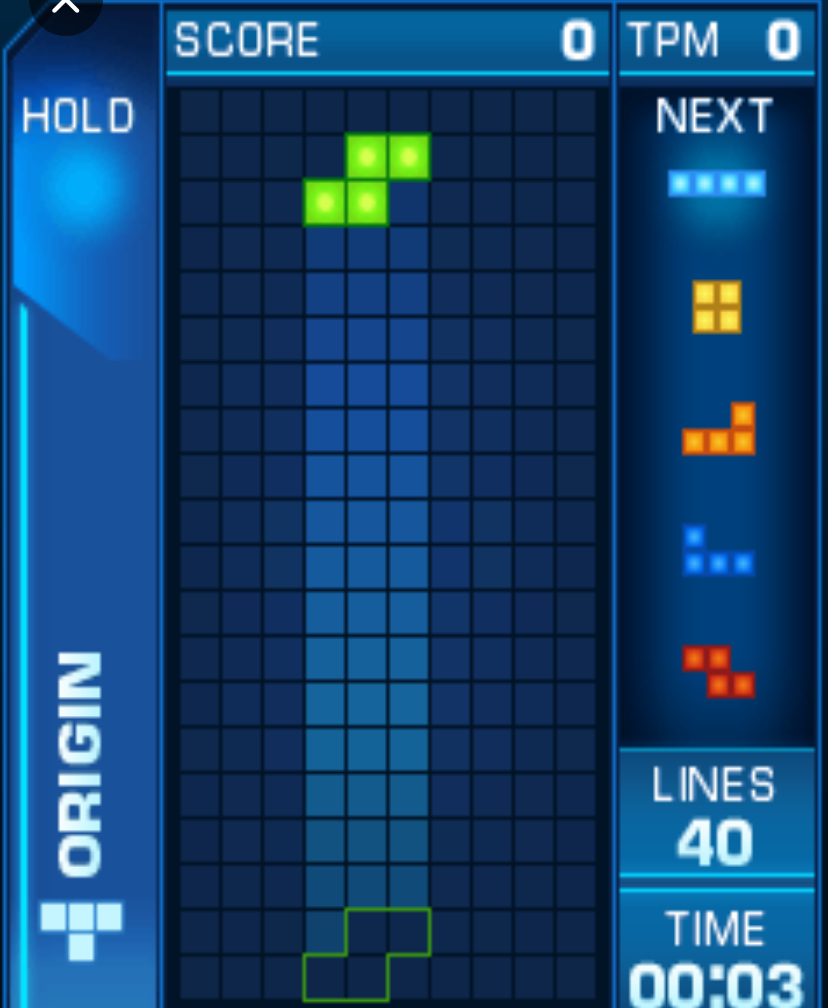
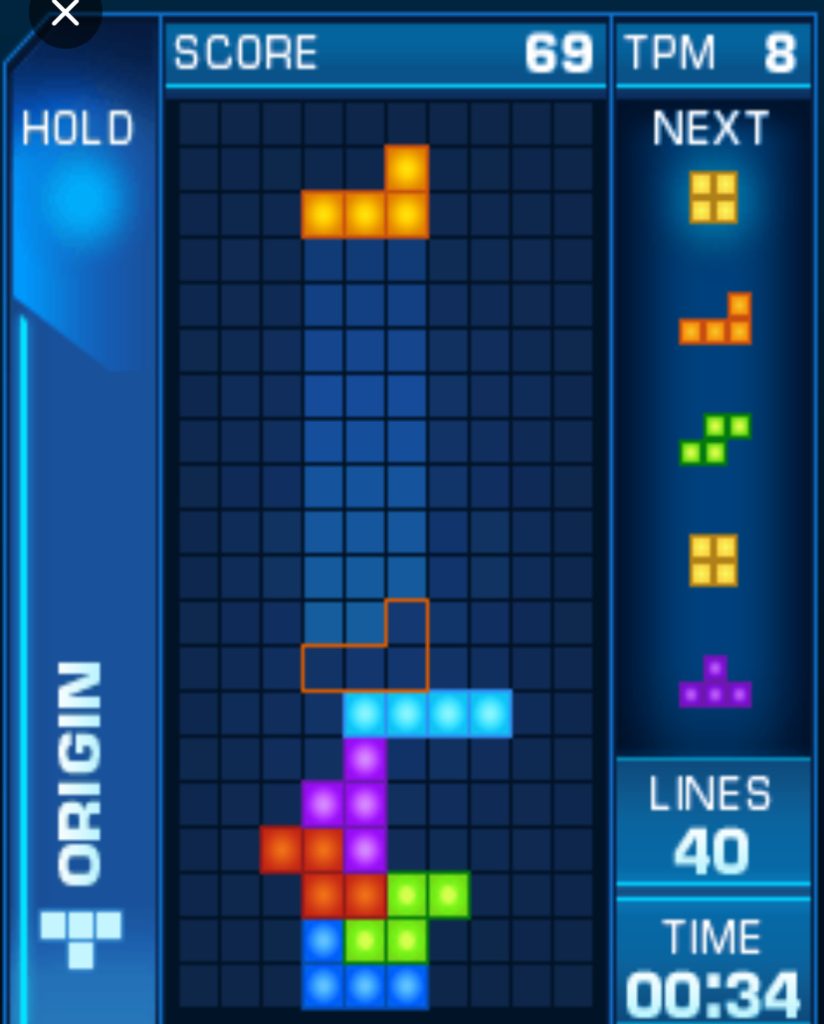
Key Features Breakdown
The 12 Variants: What Makes Each One Unique
Tetris Revolution is not one game. It is twelve different puzzle experiences wrapped in a single package. Here is what each variant does and why it matters.
Origin is your standard, no-frills Tetris. Clear 40 lines as fast as you can. No gimmicks, no tricks. This is where you learn the fundamentals, and it is unlocked from the start.
Tread is where things get interesting. Every time you place a tetromino, the entire stack shifts one column to the right. The rightmost column wraps around to the left. This forces you to think about horizontal stability in a way standard Tetris never does. A perfectly flat stack becomes a liability because the wrap-around will create uneven surfaces.
Gravity introduces cascade gravity. When you clear a line, blocks above do not just drop one row. They fall all the way down until they hit something. This creates chain reactions where a single line clear can trigger multiple secondary clears. It rewards creating vertical gaps and overhangs rather than flat surfaces.
Flood is a survival mode. Every seven pieces, a garbage line rises from the bottom. The garbage line is not always a clean nine-blocks-and-one-gap pattern. Sometimes the gap is in an awkward position, forcing you to dig through your own stack while managing incoming pieces. You unlock this by completing any variant in under 4 minutes.
Ledges removes the floor entirely. Tetrominoes must land on ledges or other pieces. There is no bottom boundary. This completely changes your stacking strategy because you cannot just build upward from a solid base. You are essentially building a bridge across empty space.
Laser adds a horizontal laser beam that slowly descends from the top of the screen while a piece is active. If the laser touches your stack, you instantly lose. Clearing lines pushes the laser back up. This creates intense time pressure because you cannot afford to let your stack grow too high. Unlocked by completing Origin.
Magnetic assigns polarity to tetrominoes. Blue pieces drift left, red pieces drift right. This passive horizontal movement happens automatically while the piece is falling, forcing you to compensate with counter-movement. Unlocked by clearing 6 or more lines in a single turn in Gravity mode.
Scanner delays line clears. Completed lines stay visible until a horizontal scanner bar crosses the field, at which point they all clear simultaneously. This means you can set up multiple lines and clear them all at once for massive score bonuses. Unlocked by completing 3 variants.
Split divides the playfield into left and right halves. You must alternate placing tetrominoes in each half. You cannot place two pieces on the same side consecutively. This demands split attention and prevents you from focusing all your energy on one problem area. Unlocked by completing 4 Tetrises in one variant.
Chill freezes minos at random intervals. After being frozen twice, they become “hard minos” that do not disappear when a line is completed. Instead, they revert to normal minos. This creates persistent obstacles that you must work around repeatedly. Unlocked by clearing 8 lines in one scan in Scanner mode.
Flash plunges most of the playfield into darkness. Only the columns directly below your active tetromino are illuminated. Hard dropping briefly lights up the entire field. This tests your spatial memory and ability to play from instinct rather than visual confirmation. Unlocked by completing any variant at Level 10 or higher.
Radical is the ultimate test: standard Tetris with 20G gravity. Pieces spawn at the bottom and instantly lock unless you can move and rotate them in the tiny window before they settle. This is the mode that separates masters from everyone else. Unlocked only after completing all other 11 variants.
The Progression System
Tetris Revolution tracks your COMPLETE progress as you finish variants and meet specific milestones. Your goal is to earn the “Tetris Master” title by unlocking and conquering every mode. The game also features a HIGHLIGHTS replay system that automatically saves your most impressive moments for later review.
How to Play Tetris Revolution java game in 2026— Complete Menu Walkthrough & Controls
This is the section that will transform you from a confused beginner into a confident player. I will walk you through every screen, every button press, and every decision point exactly as I experienced them.
Launching the Game & Main Menu Navigation
When you first launch Tetris Revolution, the EA Mobile splash screen appears, followed by the main title screen. Press 5 to proceed past the title screen.
You will now see the main menu with these options:
- Play — The variant selection screen where you choose from the 12 game modes.
- Marathon — The endless guideline marathon mode.
- Highlights — Your saved replay viewer.
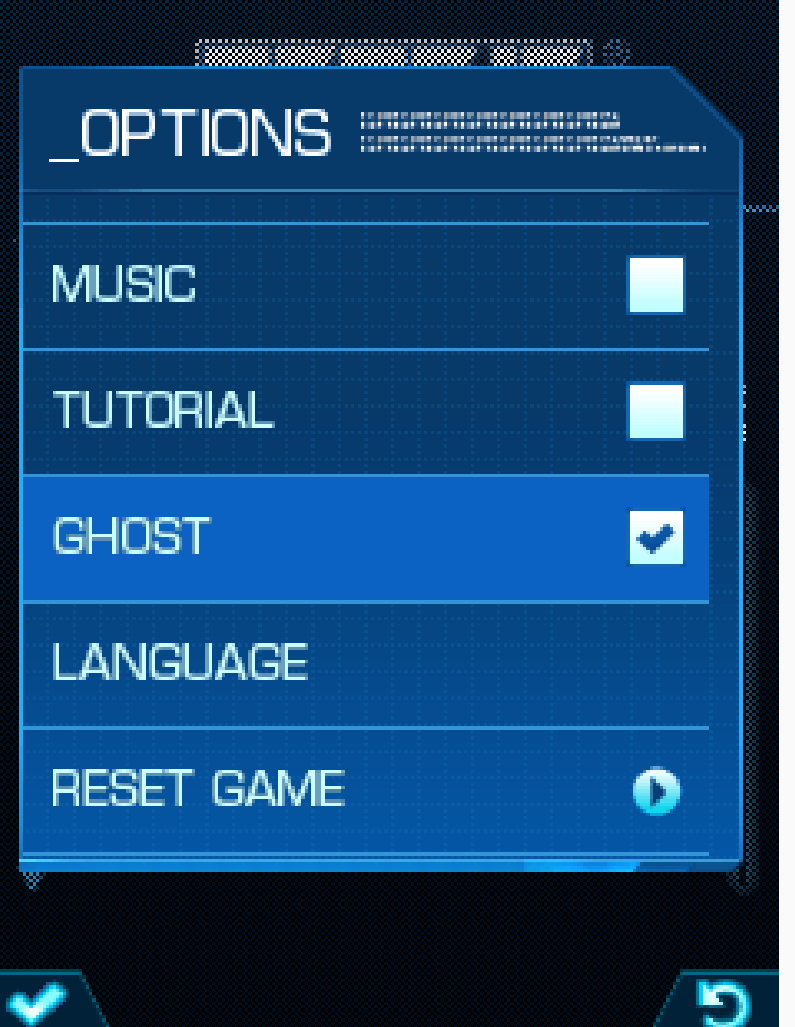
- Options — Sound, vibration, and difficulty settings.
- Help — Basic rules reference.
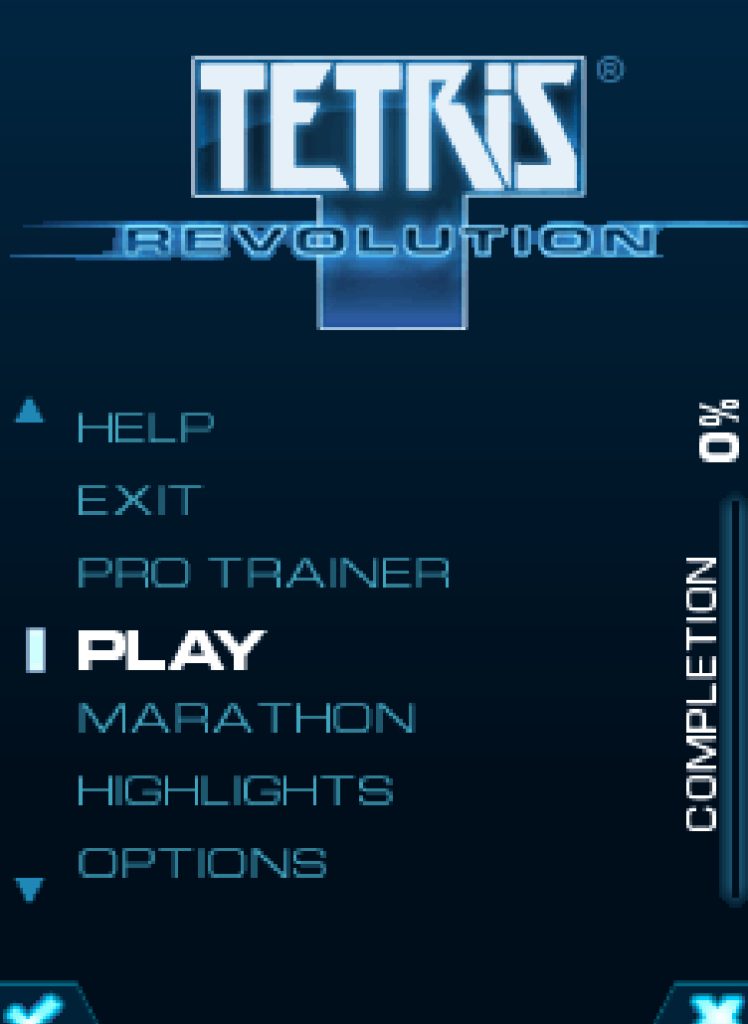
Use 2 to move the cursor up and 8 to move the cursor down. Press 5 to select an option. Press the Left Soft Key to go back to the previous screen at any time.
Let me walk you through starting your first game. Select Play by pressing 5. You will see a grid of variant icons. The locked variants appear grayed out. Only Origin, Tread, and Gravity are available from the start.
Use 4 to move left through the grid, 6 to move right, 2 to move up, and 8 to move down. Highlight Origin and press 5.
Now you see the level selection screen. The game lets you start at any level from 1 to 15. As a beginner, I strongly recommend starting at Level 1. Use 4 and 6 to adjust the starting level. Press 5 to confirm.
The game loads the playfield. You will see a 10-column by 20-row grid. On the right side, you see your next piece preview, your score, your line count, and your level. At the bottom, your current piece spawns at the top center.
In-Game Controls: Exact Keypad Mapping
Here is the complete control scheme you need to memorize:
| Action | Keypad Press |
|---|---|
| Move piece left | 4 |
| Move piece right | 6 |
| Soft drop (faster fall) | 2 |
| Hard drop (instant lock) | 8 |
| Rotate clockwise | 5 |
| Rotate counter-clockwise | ***** |
| Hold piece | 0 |
| Pause game | Left Soft Key |
| Quit / Restart | Right Soft Key (brings up menu) |
Practical Gameplay Walkthrough: My First Marathon Run
Let me take you through an actual play session so you understand the decision-making process.
The Opening (Level 1-3): The pieces fall slowly. You have time to think. My first piece is an I-tetromino (the long straight piece). I press 6 four times to move it to the far right column, then press 5 once to rotate it vertical, then press 8 to hard drop it into the rightmost well. This is the foundation of the “well technique” — leaving one column open for I-pieces so you can score Tetrises.
My next piece is a T-tetromino. I press 4 twice to move it left of center, press 5 to rotate it so the stem points down, then press 2 to soft drop it into place. I am building a flat surface with one gap on the far right.
The Mid-Game (Level 4-7): At Level 4, the speed increases noticeably. Pieces fall about 30 percent faster. I get an S-piece that does not fit my current stack. Instead of forcing it into a bad position, I press 0 to hold it. The held piece appears in the hold box. My next piece is a Z-piece, which I can place cleanly. I press 6 once, 5 to rotate, and 2 to soft drop.
At Level 5, an O-piece (the square) spawns. I need to place it on the left side to maintain my well on the right. I press 4 three times, then 8 to hard drop. But I misjudged — there was a one-block overhang I did not see. The O-piece lands one column too far left, creating a bump.
Now my well is compromised. The next piece is an L-tetromino. Instead of panicking, I press 5 to rotate it so the long stem points right, press 6 twice to slide it into the gap next to my misplaced O-piece, and press 2 to soft drop. I have patched the hole, but my stack is uneven.
The Recovery (Level 8-10): At Level 8, the speed jumps again. I am getting T-pieces and J-pieces that do not fit my messy stack. I focus on flat clears rather than Tetris setups. I use 2 for soft drops constantly now because hard dropping risks misplacement at this speed.
A T-piece spawns. I press 5 to rotate it into a T-spin position — the stem facing into a T-shaped gap I created earlier. I press 4 once to nudge it into the cavity, then press 8 to hard drop. The T-spin clears two lines and gives me a significant score bonus. This is how you recover from a bad position: T-spins are your emergency tool.
The Endgame (Level 11+): At Level 11, pieces are falling fast. I am no longer thinking about Tetrises. I am thinking about survival. I get an I-piece and immediately press 6 to move it to my well, 5 to rotate vertical, and 8 to hard drop. Tetris. Four lines cleared. The brief score animation gives me a moment to breathe.
But the speed keeps increasing. At Level 13, I get a sequence of Z, S, Z, S pieces — the dreaded “SZSZ” drought that every Tetris player fears. These pieces mirror each other and create awkward bumps when placed consecutively. I place the first Z on the left edge by pressing 4 four times and 8 to hard drop. The S-piece that follows goes on the right edge with 6 four times and 8. I am playing the edges to minimize central damage.
At Level 15, the gravity is relentless. I misplace a J-piece by one column because I pressed 4 instead of 6 in my haste. The piece creates a two-block overhang. My next piece is an L-piece. I try to rotate it with 5 and slide it under the overhang with 4, but the piece locks before I can position it correctly. The stack is now dangerously high.
The final piece is a T-tetromino. I have no room to maneuver. I press 5 to rotate, 6 to move right, but the piece spawns directly on top of my uneven stack. Game over. Top out.
But here is what I learned from that run: I survived to Level 15 because I used the well technique for the first 10 levels, recovered from mistakes with T-spins in the mid-game, and played the edges during the S/Z drought. Those are not beginner instincts. Those are skills you develop by understanding the controls and practicing deliberate placement.
Advanced Strategies & Pro Techniques
The single most important strategy in Marathon mode is maintaining a single-column well on either the far left or far right edge. I prefer the right edge. Here is why it works: the I-tetromino is the only piece that can clear four lines at once, and it must be vertical to do so. By keeping one column completely empty, you guarantee that every I-piece becomes a Tetris opportunity.
When building your well, never place any piece in that column. Use 4 and 6 to steer every piece around it. When an I-piece spawns, press 6 four times to reach the right edge, 5 to rotate vertical, and 8 to hard drop. Four lines clear. Massive score. Repeat.
T-Spin Setups: Your Emergency Tool
A T-spin is when you rotate a T-tetromino into a gap it could not otherwise fit into. It requires a specific overhang shape: a T-shaped cavity with one block overhanging the opening.
To execute a T-spin, position your stack so there is a two-block deep gap with a one-block overhang on one side. When a T-piece spawns, rotate it with 5 so the stem faces the overhang. Press 4 or 6 to slide it under the overhang, then press 8 to hard drop. The piece will rotate into the cavity and clear two or three lines depending on the setup.
I use T-spins in two situations: when my well is compromised and I need a high-value clear to recover, or when the game gives me a T-piece at the exact moment my stack shape supports it. Do not force T-spins. Let them emerge naturally from your stacking patterns.
Soft Drop vs. Hard Drop: When to Use Each
This decision matters more than beginners realize.
Use soft drop (2) when:
- You need fine-tuned placement and want to see exactly where the piece lands
- The speed is too fast to risk a misaligned hard drop
- You are setting up a T-spin and need to stop the piece at a specific height
- You are in Gravity or Flood mode where cascade mechanics reward controlled placement
Use hard drop (8) when:
- You know exactly where the piece belongs and want to save time
- The stack is low and placement is obvious
- You are in Laser mode and need to clear lines quickly to push the laser up
- You are in Flash mode and want to briefly illuminate the entire playfield
Managing the Hold Feature
The hold feature (press 0) is your safety valve. When the game gives you a piece that does not fit your current situation, hold it and deal with the next piece instead.
Here is my hold rule: if a piece would create a bump or hole if placed immediately, I hold it. I only release a held piece when the timing is perfect. For example, if I have an S-piece held and my stack has a natural S-shaped cavity, I swap it in by pressing 0 again.
Never hold a piece indefinitely. The hold box is a tool for sequencing, not storage.
Beginner Mistakes to Avoid
After playing Tetris Revolution extensively and watching my own replays in the Highlights viewer, here are the mistakes that cost beginners the most games.
Mistake 1: Building Too High Too Fast. Beginners see the slow early levels and stack recklessly high, thinking they have time. By Level 5, the speed increase catches them off guard, and they top out with a full screen of poorly placed pieces. The fix: keep your stack below row 15 until Level 8. Give yourself room to react.
Mistake 2: Ignoring the Hold Feature. Many beginners never press 0. They force every piece into the first available gap, creating bumps and holes that compound over time. The fix: develop the habit of asking “would holding this piece improve my next three moves?” If yes, press 0.
Mistake 3: Panic Hard Drops at High Speed. When pieces start falling fast, beginners spam 8 to place pieces instantly. This leads to misaligned drops that create worse problems than the speed itself. The fix: trust soft drops (2) in the mid-game. Hard drop only when you have visually confirmed the landing position.
Mistake 4: Neglecting the Well. Beginners place I-pieces horizontally to clear one line, wasting the only piece that can score a Tetris. They also fill their well column with other pieces, eliminating their best scoring opportunity. The fix: from your very first game, commit to keeping one edge column empty. It feels wasteful at first, but it pays off massively.
Mistake 5: Tunnel Vision on the Current Piece. Beginners focus only on the piece currently falling and ignore the next piece preview. They place a T-piece in a position that would be perfect for an L-piece, then curse their luck when the L-piece spawns next. The fix: before placing any piece, glance at the next preview. Plan for the current piece AND the next piece.
Mistake 6: Creating Unnecessary Holes. A “hole” is an empty space beneath a placed block. Beginners create holes constantly by placing pieces with overhangs or by rotating pieces into positions that leave gaps underneath. The fix: every piece you place should either sit flat on the bottom or on another piece. If a piece creates a hole, you made a suboptimal choice.
Mistake 7: Playing Every Variant the Same Way. Beginners approach Tread mode like Origin, or Flood mode like Marathon. Each variant demands a different mindset. In Tread, you must account for the horizontal shift. In Laser, speed matters more than perfection. In Magnetic, you are fighting passive drift. The fix: read the variant description before starting, and adjust your strategy accordingly.
Comparison with a Game I Played: Tetris Blitz
Before I dive into why Tetris Revolution remains special, let me compare it with another Tetris game I spent significant time with: Tetris Blitz, also published by EA Mobile.
Tetris Blitz is a two-minute sprint format. You have 120 seconds to score as many points as possible using power-ups like “Lucky Start” (guaranteed I-piece first), “Minimizer” (shrinks pieces), and “Frenzy” (cascade clears). It is fast, flashy, and designed for quick sessions.
Here is where the comparison gets interesting. Tetris Revolution’s Play mode variants are essentially 40-line sprints like Blitz, but the experience is fundamentally different.
Controls: In Blitz, you swipe on a touchscreen. In Revolution, you press physical keys. I cannot overstate how much this changes the game. On a touchscreen, a misplaced swipe can ruin a run. On a keypad, 4 and 6 give you pixel-perfect horizontal control. 5 for rotation is instant and reliable. When I play Blitz, I sometimes miss a hard drop because my thumb slides off the screen. When I play Revolution, 8 never fails me. The physical feedback of pressing a button creates a rhythm that touchscreen Tetris cannot replicate.
Pacing: Blitz is frantic. Two minutes of non-stop action with power-ups exploding everywhere. Revolution’s Marathon mode is meditative. You settle into a flow state where your breathing syncs with the falling pieces. At Level 1, you have time to plan three moves ahead. At Level 10, you are reacting on instinct. The progression from thoughtful to reflexive is a journey that Blitz’s fixed timer cannot provide.
Scoring Philosophy: Blitz rewards power-up chaining and luck. Did you get a Lucky Start followed by a Frenzy? Your score doubles. Revolution rewards pure skill. There are no power-ups. Your score is determined entirely by your stacking efficiency, your T-spin execution, and your ability to survive increasing gravity. When I hit a new high score in Revolution, I know I earned it. When I hit a high score in Blitz, I wonder if the power-up RNG helped.
Skill Transfer: The well technique, T-spin setups, and hold management I learned in Revolution transferred directly to Blitz. But the reverse is not true. Blitz teaches you to rely on power-ups, which do not exist in Revolution. If you want to become genuinely good at Tetris, Revolution is the better teacher. Blitz is the better distraction.
My Verdict: I still play Blitz when I have five minutes and want instant gratification. But when I want to actually improve at Tetris, I load up Revolution’s Marathon mode and aim for a Level 15 clear. The satisfaction of reaching Level 15 with no power-ups, no shortcuts, and no excuses is unmatched.
Tips for High Scores & Long Marathon Runs
Opening Strategy: For your first 10 pieces, focus on building a flat surface with a right-edge well. Do not worry about T-spins yet. Just establish clean stacking habits. Place every piece so it creates the flattest possible surface.
The Level 5 Transition: This is where speed increases for the first time. Before Level 5, you can hard drop everything. After Level 5, start using soft drops for pieces that require precise placement. Save hard drops for obvious placements and emergency line clears.
The Level 10 Wall: Many players top out between Levels 10 and 12. The jump in speed is significant. Here is my mental checklist for every piece at this speed: Where is my well? Can this piece go there? If not, where does it create the least damage? Should I hold it? I answer these questions in under one second before pressing any movement keys.
Combo Building: In standard Tetris, a combo is clearing lines on consecutive piece placements. In Revolution, combos multiply your score significantly. To maintain combos, never place a piece that does not clear a line unless absolutely necessary. This is risky because it can create holes, but the score payoff is enormous.
The I-Piece Drought: Sometimes the game refuses to give you an I-piece for 15+ pieces. Your well sits empty, and your stack grows unevenly. When this happens, stop building upward. Use your current pieces to flatten the surface as much as possible. Create T-spin opportunities to clear lines without needing the I-piece. The drought will end eventually. Your job is to survive until it does.
>>>> game here >>>>>
Conclusion
Tetris Revolution is more than a mobile port of a classic. It is a comprehensive puzzle training ground that teaches you skills that transfer to every Tetris game you will ever play. The 12 variants force you to adapt. The progression system gives you goals. The replay system lets you learn from your mistakes.
If you are just starting out, focus on the fundamentals: keep a well, use soft drops, and do not panic. If you are pushing for high scores, master T-spins and combo building. And if you are chasing the Tetris Master title, know that Radical mode at 20G gravity is waiting to test everything you have learned.
The best part? All of this fits in your pocket, runs on a feature phone, and requires nothing but a numeric keypad and the willingness to improve one piece at a time.
Now pick up your phone. Press 5. Start your revolution.