

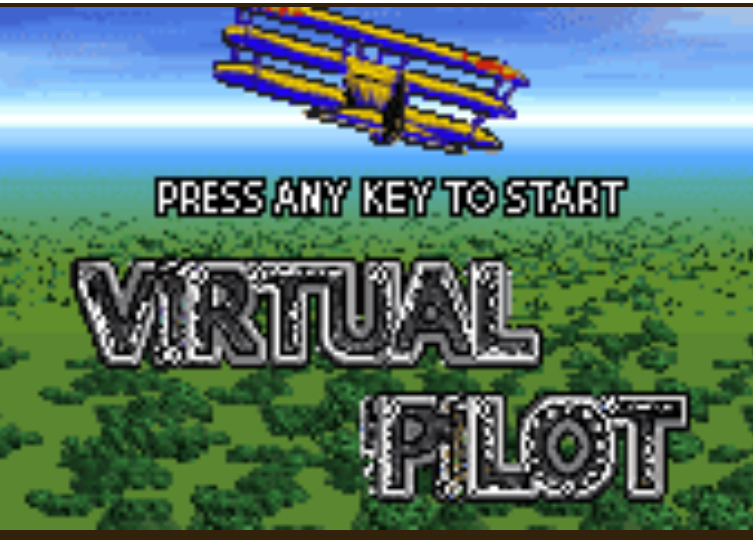
Do you know that how good of a pilot you are and how often you crash or land safely highly depends on how well you understand your controls and fuel? So today I will give you a full breakdown that will improve your flying a lot in Flying pilot Java game. Let us get started.
Quick Game Info
| Detail | Info |
|---|---|
| Game Name | Virtual Pilot |
| Genre | Flight Simulation |
| Developer | Gameloft |
| Game Modes | Career, Free Flight, Time Challenge |
| Controls | Numeric Keypad |
| Objective | Fly routes and land in target cities |
What Makes Virtual Pilot Different
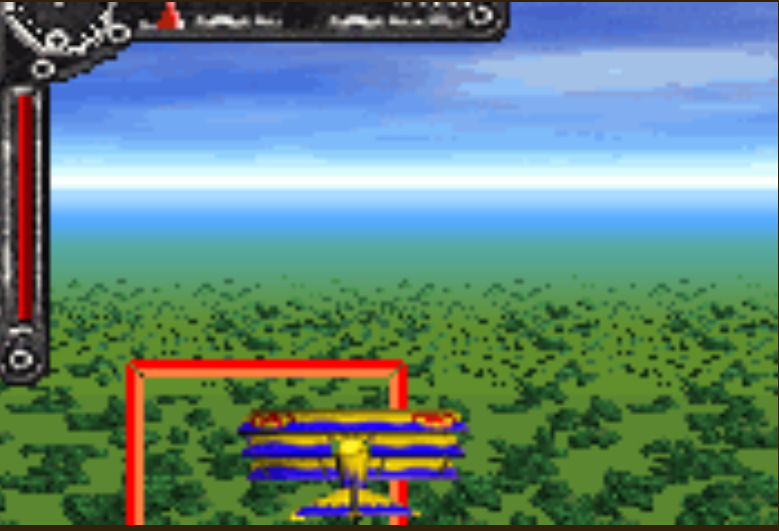
Most mobile flight games back then were either shoot em ups or endless runners. Virtual Pilot actually makes you think like a pilot. You get a target city, a limited fuel tank, and a runway that looks smaller than your thumb. The Atlantic crossing missions are the real test. You have to estimate distance, fight wind push, and still land with enough fuel left to earn a decent score. It is simple to pick up, but landing cleanly takes real practice.
Key Features Breakdown
City Landing System. Each mission hands you a target city. The runway is a thin strip on the ground. You either hit it clean or you crash. There is no middle ground.
Fuel Gauge. Your fuel bar drops constantly. Fly inefficiently and you will hear the engine sputter before you even see land.
Wind and Weather. Random wind shifts push your plane sideways. You will feel it mid flight when your nose drifts even though you are not pressing anything.
Scoring System. You earn points for fuel remaining, landing accuracy, and completion time. Stack those bonuses to unlock better planes.
Multiple Aircraft. Some planes are fast but guzzle fuel. Others are slow but stable. Pick the right tool for the route.
Radar. A small mini map shows your position relative to the target. Ignore it and you will fly past the city without knowing.
How to Play Virtual Pilot Java Game
Launching and Menu Navigation
Turn on your phone and open the game. At the title screen, press 5 to select New Game or Continue. Use 2 and 8 to move up and down through the menu options. Press 5 to confirm any choice. Use the Left Soft Key to go back and the Right Soft Key to open options.
Choosing Your First Mission
From the main menu, highlight Career Mode and press 5. You will see a map with your starting airport and a target city. Press 5 to accept the mission. To change aircraft, press the Left Soft Key to enter the hangar, then press 4 or 6 to scroll through planes. Press 5 to lock in your choice.
Takeoff Sequence
Once the cockpit loads, your plane is parked on the runway. Press and hold 8 to increase throttle. Watch the speed meter climb. When the bar enters the green zone, press 5 to release the brakes. The plane starts rolling. Pull back by pressing 2 to lift the nose. Once you leave the ground, ease off 2 and level out by tapping 8 slightly.
In Flight Controls
Here is exactly what each button does.
- 2 = Nose up / Climb
- 8 = Nose down / Descend
- 4 = Turn left
- 6 = Turn right
- 5 = Center controls and level the plane
- Left Soft Key = Pause menu and map
- Right Soft Key = Toggle radar view
Using the Radar to Stay on Course
Press the Right Soft Key to open the radar. You will see a dot representing your target city. If the dot sits at the top of the radar, you are facing it dead on. If it drifts left, press 4 to turn. If it drifts right, press 6. I check my radar every ten seconds. One time I ignored it for thirty seconds because I thought I was flying straight. The wind pushed me so far off course that I ran out of fuel over the ocean. Now I never fly without glancing at the radar.
Managing Fuel
Watch the fuel bar at the bottom of your screen. Flying at full throttle burns fuel fast. Once I reach cruising altitude, I tap 8 to reduce throttle and glide a little. If the fuel light turns red, you have about twenty seconds left. At that point, stop climbing. Use gentle presses of 2 and 8 to glide toward the nearest flat surface. Do not fight the wind. Just aim for survival.
The Landing Approach
This is where most players crash. When the radar shows the city is close, start descending. Press 8 gently to bring the nose down. You want to approach the runway straight on. Align yourself using 4 and 6. If you are too far left, tap 6 twice, then press 5 to level out.
Reduce speed by tapping 8 to lower throttle. When you are just above the runway, press 2 slightly to raise the nose. This is called flaring. It slows your descent and softens the touchdown. If you hit the ground nose first or too fast, you crash. Once the wheels touch, press 5 to apply brakes.
I remember my first successful landing. I was approaching London and I came in way too hot. I tapped 8 three times to bleed speed, flared with 2, and touched down with barely any runway left. The game gave me a low accuracy score, but I was just happy I did not explode.
After Landing
If you land safely, the screen shows your score breakdown. You get fuel bonus, accuracy bonus, and time bonus. Press 5 to continue to the next mission. If you crash, press 5 to retry or press the Left Soft Key to quit to the menu.
Scoring and Rank System Explained
Your final score comes from three places. Fuel remaining gives up to five hundred bonus points. A perfect center landing gives one thousand points. Fast completion time adds a multiplier on top. To unlock new planes, you need a total career score above ten thousand points. So do not just survive. Land clean and land fast.
Beginner Mistakes to Avoid
Holding 8 at full throttle the whole flight. This burns your fuel before you see the city. Fix it by tapping 8 to cruise once you are airborne.
Ignoring the radar. New players stare at the plane and miss the city by miles. Fix it by checking the radar every few seconds.
Diving too fast on approach. You gain speed and slam into the runway. Fix it by descending slowly with short taps of 8.
Landing nose first. The plane flips every time. Fix it by pressing 2 to flare just before touchdown.
Turning too hard near the runway. Sharp banks make alignment impossible. Fix it by tapping 4 or 6 once, then pressing 5 to level out.
Comparison with a Game I Played
I also spent a lot of time playing Ace Combat: Northern Wings. That game is all about dodging missiles, locking on enemies, and blowing stuff up. It is fast, loud, and reflex based. Virtual Pilot is the complete opposite. It is quiet, patient, and brain based.
In Ace Combat, I mash buttons to survive a dogfight. In Virtual Pilot, I plan my route, watch my fuel, and make tiny corrections. Both are fun, but Virtual Pilot taught me more about actual flying logic. Ace Combat rewards quick thumbs. Virtual Pilot rewards thinking ahead. If you want action, play Ace Combat. If you want to feel like a real pilot making smart choices, Virtual Pilot is the better teacher.
Conclusion
Virtual Pilot is simple to learn but takes practice to master. Use the exact button presses above, avoid the beginner mistakes, and check your radar often. Load up your next mission, point your nose toward the target, and land that plane clean. Good luck up there.
