How to Play Call of Duty 3 Java Game: The Complete Tactical Mastery Guide
 By Nathaniel AriyoPublished · 16 min read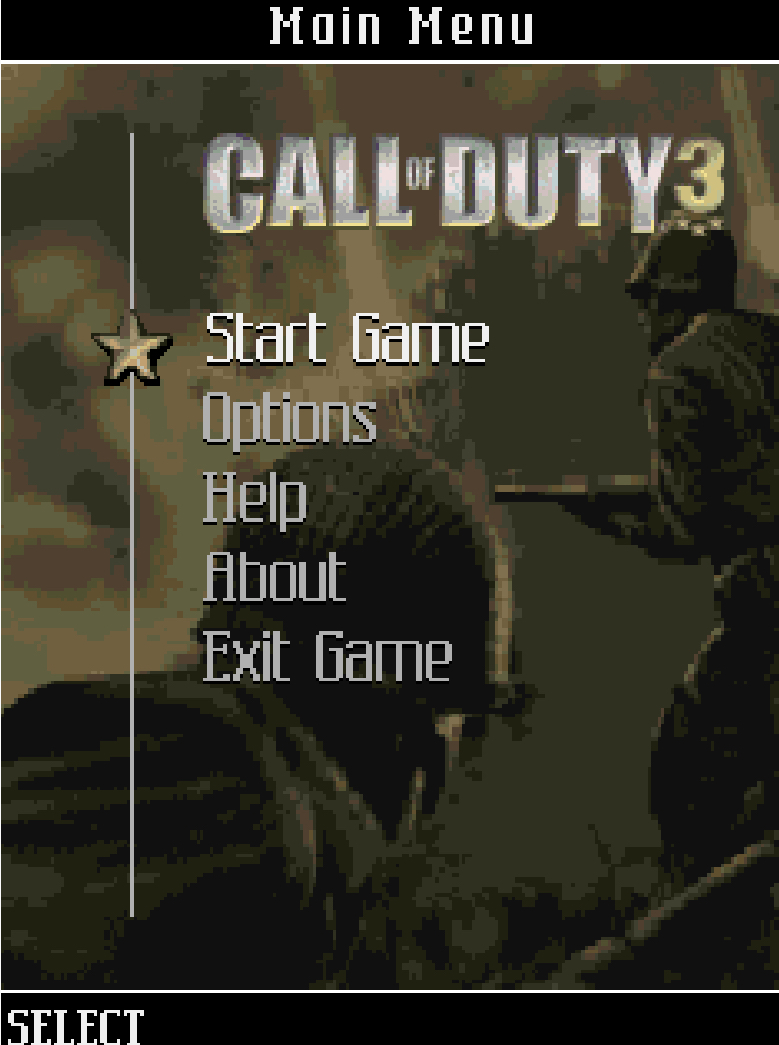
Do you know that how good of a player you are and how often you survive or fail a mission in Call of Duty 3 Java highly depends on how well you understand the cover system? Most players treat this like a run-and-gun shooter, stand in the open, and die within seconds. But once you learn the rhythm of popping out, firing, and snapping back, you become nearly unstoppable. So today I will give you a complete, button-by-button walkthrough that will transform you from a confused beginner into a confident soldier who clears every campaign. Let us get started.
Game at a Glance
| Attribute | Details |
|---|---|
| Developer | Gameloft |
| Release Year | 2006 |
| Genre | Third-Person / First-Person Shooter (model-dependent) |
| Platform | Java ME (J2ME) mobile phones |
| Game Modes | Campaign (Multi-National), Extras/Unlockables |
| Campaigns | American, British, Canadian, Polish |
| Estimated Playtime | 4–6 hours |
This is not a simple side-scrolling shooter. Gameloft built a genuine cover-based combat system into a sub-1MB mobile game, which was unheard of in 2006. That is why understanding the exact button layout and mission flow matters more here than in almost any other Java title.
History & Background: When the Console War Went Pocket-Sized
In 2006, Treyarch released Call of Duty 3 on PlayStation 2, Xbox, and Xbox 360. Simultaneously, Gameloft was tasked with the impossible: squeezing that same epic Allied campaign into phones with 176×220 pixel screens and physical numeric keypads. The result was one of the most ambitious mobile FPS attempts of the era.
The Java version did not just shrink the console experience. It innovated. While most mobile shooters of the time forced you to stand in the open and trade bullets, Gameloft introduced a snap-to-cover mechanic.
Your soldier could physically hug walls, lean around corners, and pop out to shoot. This was revolutionary for Java ME. The game also split its campaign across four Allied nations—American, British, Canadian, and Polish—each with distinct missions and weapons. The technical limitations were severe: no analog sticks, no shoulder buttons, just nine number keys and a few soft buttons.
Yet the game delivered a genuine sense of battlefield tension. That is the legacy you are stepping into when you boot this up today.
Key Features Breakdown
The Cover System: This is the heart of the game. You press a directional key near a wall, crate, or sandbag, and your soldier snaps into cover. From there, you can lean left or right to shoot while exposing minimal body area. Enemies use the same system, so you are constantly fighting a battle of patience and timing.
Multi-National Campaign: The story jumps between four Allied factions. You start with the American campaign, then unlock British, Canadian, and Polish missions. Each faction has different starting weapons and mission objectives, which forces you to adapt your tactics rather than memorizing one pattern.
Mission Variety: You will fight on foot through trenches, defend positions from waves, man stationary turrets, and escort AI soldiers. The turret sections are particularly intense because you cannot use cover—you must prioritize targets under heavy fire.
Weapon Authenticity: The game uses period-accurate weapons. The M1 Garand has a distinct firing rhythm. The Thompson submachine gun chews through ammo but dominates close range. Grenades are not infinite, so every throw matters.
Health System: There is no automatic health regeneration. You must find health packs scattered in the environment. This fundamentally changes your playstyle. You cannot absorb damage and recover. Every hit is permanent until you heal, which makes cover discipline essential.
Complete Controls Reference (Numeric Keypad)
Before you play, memorize this layout. Hesitation costs health in this game.
Table
| Action | Button |
|---|---|
| Move Up | 2 |
| Move Left | 4 |
| Move Right | 6 |
| Move Down | 8 |
| Fire / Confirm Selection | 5 |
| Throw Grenade | * |
| Melee Attack / Interact / Swap Weapon | # |
| Precision Aim / Zoom | 0 |
| Left Soft Key | Menu / Pause |
| Right Soft Key | Back / Cancel |
Critical Context: The # key is context-sensitive. When you are near an enemy, it performs a melee attack. When you are near a weapon on the ground, it swaps your current weapon. When you are near a door or objective point, it interacts. Always pay attention to the small icon that appears on screen.
How to Play: From Boot-Up to Your First Kill
The Main Menu
When you launch the game, you see the title screen with a dramatic war scene. Press 5 to select New Game or Continue. If this is your first time, select New Game. The game will ask you to choose a difficulty. I recommend Normal for your first playthrough. Hard reduces your health pool and makes enemies more aggressive, which is punishing until you master the cover rhythm.
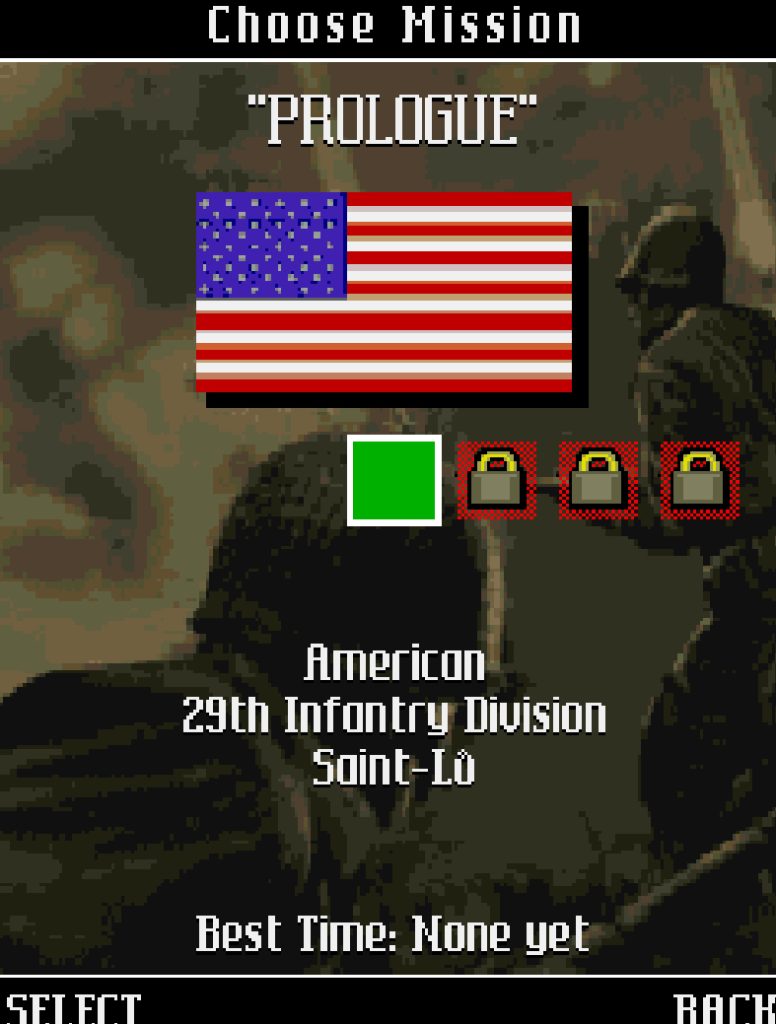
After selecting difficulty, you enter the campaign selection screen. Only American is available initially. Press 5 to select it. You will see a mission briefing screen with text explaining the scenario. Press 5 again to start.
Your First 60 Seconds
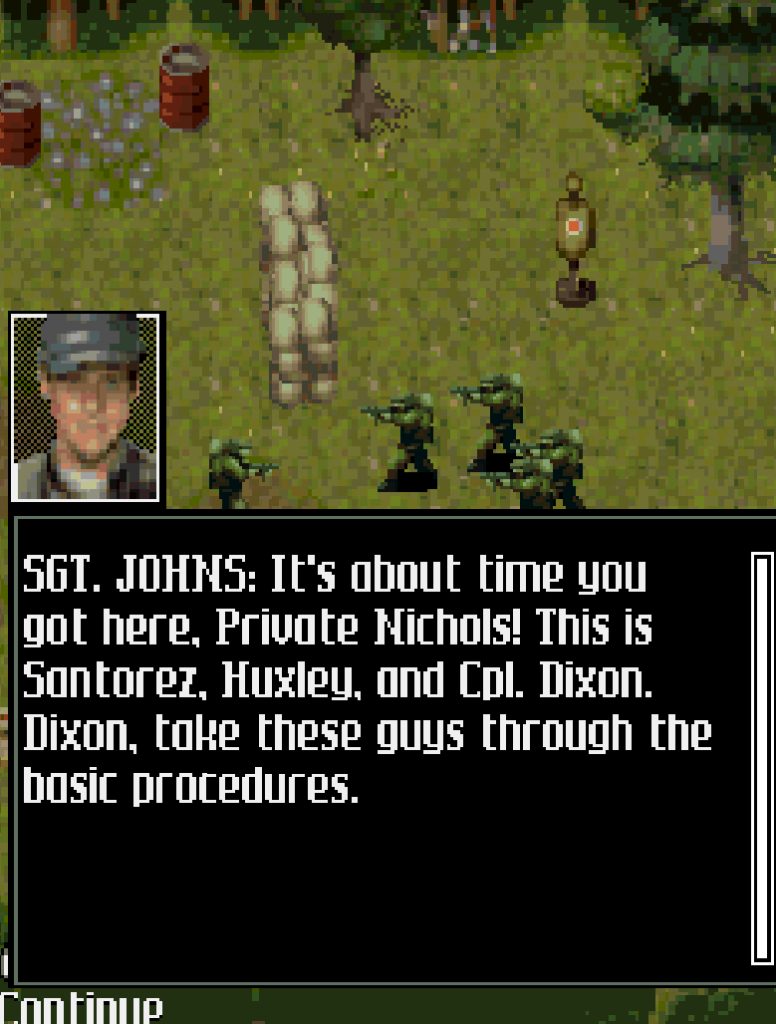
The first American mission drops you in a trench. You are holding an M1 Garand. Here is exactly what to do:
An enemy soldier appears behind sandbags ahead of you. Do not stand in the open and press 5 repeatedly. Instead, press 6 to move right toward a wooden crate. Your soldier will snap into cover automatically. You will see him flatten against the crate. Now, while holding cover, press 6 again. Your soldier leans out to the right. The moment you see the enemy in your sights, press 5 to fire. Fire one or two shots, then immediately press 4 to snap back into cover. The enemy will return fire, but the crate absorbs it.
Wait one second. The enemy will pause to reload or fire at your last known position. Press 6 to lean out again, press 5 twice to finish him, then press 4 to return to cover. That is the core loop: 6 (peek) → 5 (fire) → 4 (hide). Repeat this rhythm for every enemy you encounter.
Navigating the HUD
At the top of the screen, you see a red health bar. Below it is your ammo count (e.g., 8/24 for the M1 Garand). The first number is rounds in your current magazine. The second is reserve ammo. When the first number hits zero, your soldier reloads automatically, which takes about two seconds and leaves you vulnerable. Plan your cover positions before you run dry.
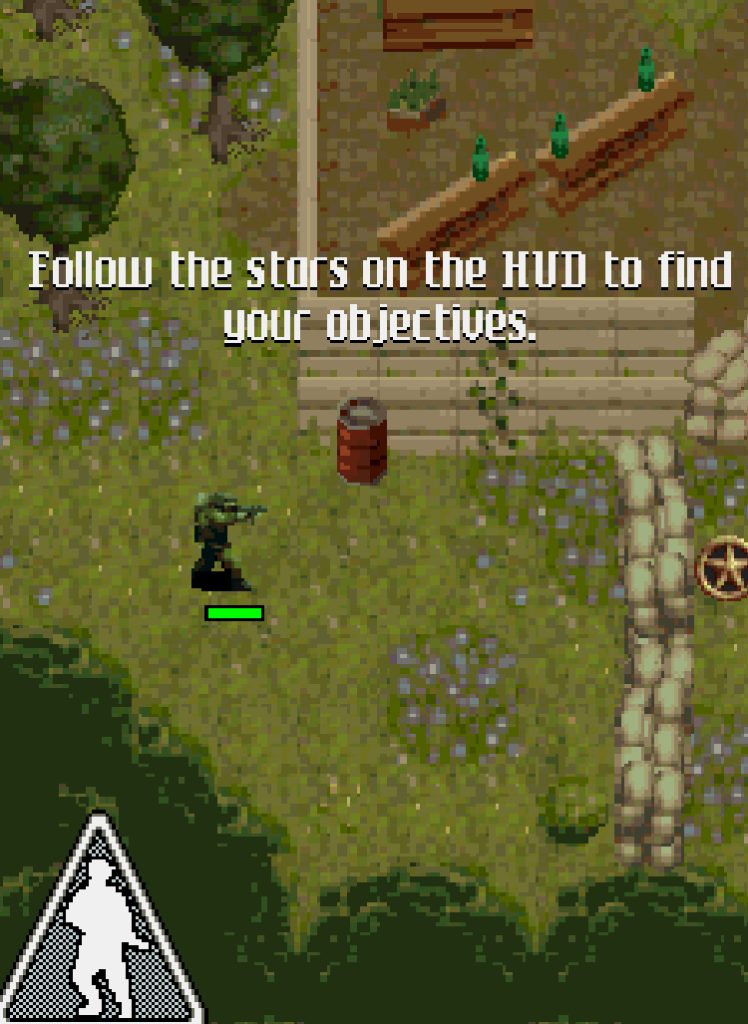
A small objective arrow appears at the edge of the screen, pointing toward your next goal. Follow it, but never sprint blindly toward it. Always move from cover to cover.
Moving Through the Level
After clearing the first enemy, press 2 to move forward out of the trench. See that stone wall ahead? Press 6 to approach it from the left side. Your soldier snaps to cover. Now you are safe.
Press 6 to lean right. You see two enemies behind a fallen tree. Press 5 three times rapidly. The first shot hits the closer enemy. The second shot might miss because of recoil. The third shot drops him. The second enemy turns toward you. Press 4 immediately to hide. Wait. He fires at the wall. Press 6 to lean, press 5 twice, press 4 to hide. He is down.
This is how you advance. Never press 2 or 8 to move vertically while enemies are shooting. They will hit you before you reach the next cover. Always clear the current area first, then move.
Grenade Tutorial
Soon you encounter an enemy behind a heavy wooden barricade. Bullets from your M1 Garand will not penetrate it. This is where * becomes essential. Make sure you are in cover. Press 6 to lean out just enough to see the barricade. Press * to throw a grenade.
Your soldier lobs it in an arc. Press 4 to hide immediately. The grenade explodes, destroying the cover and killing the enemy. If you had stood there watching the grenade fly, his friend would have shot you. Throw, then hide.
Weapon Swapping
After the explosion, you see a Thompson submachine gun on the ground. Approach it. A small icon appears. Press # to swap your M1 Garand for the Thompson. The Thompson has a 20-round magazine and fires faster, but it is less accurate at long range. For the next section, which is a close-quarters trench fight, this is the correct choice. If you keep the M1 Garand, you will struggle to hit enemies who rush you.
The First Turret Section
Midway through the mission, you man a mounted machine gun. The controls change slightly. You use 4 and 6 to sweep left and right. 5 fires continuously. Enemies rush from multiple directions. Here is the priority: always shoot the enemy closest to you first. If you try to snipe a distant soldier while one is five meters away, the close one will shoot you and you cannot use cover. Sweep 4 to 6 in a smooth arc. When you see a group, hold 5 and adjust with 4 and 6 to keep the stream on them. Do not tap 5 repeatedly; the turret has no overheating, so sustained fire is better.
Mission-by-Mission Survival Strategies
General Rules Across All Campaigns
Rule One: Cover is Health. Every time you are not behind a wall, crate, or sandbag, you are losing health you cannot recover without finding a pack. Before you press any movement key, identify your next cover point.
Rule Two: Clear, Then Move. Enemies in this game spawn in set positions. If you advance too quickly, you trigger multiple groups at once and get surrounded. Lean from your current cover, eliminate every visible enemy, then move to the next cover.
Rule Three: Backtrack for Health. Health packs glow faintly and are often placed just behind your starting position or in side alcoves. If your health bar is below 40%, it is worth pressing 4 or 6 to check behind you before pushing forward.
American Campaign: Basic Training
The American missions teach you the fundamentals. Trenches, sandbag walls, and open fields. The enemies are aggressive but predictable. Use the 6 → 5 → 4 rhythm exclusively here. Do not experiment with rushing until you finish this campaign.
British Campaign: Urban Warfare
Here you fight through bombed-out buildings. The cover system becomes more complex because you can snap to corners of doorways. When entering a new room, press 4 to hug the left wall near the doorframe. Press 6 to lean around the corner. This exposes less of your body than walking through the center. Enemies often wait just inside the door. Lean, fire, hide. Never walk through a doorway without checking it first.
Canadian Campaign: Vehicle Escort
You will protect a tank as it advances. Enemies spawn in waves to destroy it. Your priority is not killing every enemy. It is killing the enemy with the anti-tank weapon first. He usually has a distinct stance or is positioned on a higher ledge. Use 0 to zoom in, identify him, and drop him with headshots. If the tank dies, the mission fails regardless of your personal health.
Polish Campaign: Night and Snow
Visibility is reduced. The objective arrow becomes your lifeline. However, enemies are harder to spot. Move slower than usual. Use 2 to inch forward, stop, lean from cover, scan with 0, then proceed. The Polish missions also introduce more grenade-throwing enemies. If you see an enemy with his arm raised, press 4 or 6 immediately to hide. The grenade will land where you were standing. Wait for the explosion, then lean out and shoot him while he is unarmed.
Advanced Combat Tactics
The Pop-and-Shoot Loop
This is the technique that separates survivors from casualties. Identify cover. Press 6 (or 4 for left-side cover) to snap to it. Press 6 again to lean. Press 5 once or twice. Press 4 to return to cover. Count to two in your head. Repeat. This rhythm keeps you alive because the enemy AI tracks your position. If you lean too long, they adjust their aim and hit you. If you hide and reappear quickly, they are still aiming at your old position for a split second, giving you a free shot.
Grenade Geometry
Grenades in this game arc over cover. This is critical. If an enemy is behind a wall that blocks bullets, press 6 to lean, press * to throw, then immediately press 4 to hide. The grenade travels in a high arc and lands behind his cover. You do not need to see him directly. You only need to know he is there. This is how you clear machine gun nests without exposing yourself to their line of fire.
Ammo Conservation and Weapon Choice
The M1 Garand has eight rounds per clip and hits hard. It is perfect for medium-range cover fights. The Thompson has twenty rounds and fires fast, but each bullet is weaker. Use it for close quarters where you need to spray and suppress. The Lee-Enfield in the British campaign has a slower rate of fire but is more accurate at long range. When you pick it up, adjust your tactics: lean, aim with 0, fire one shot, hide. Do not spam 5 with this rifle.
If you are low on ammo for your current weapon and see a dropped enemy weapon, press # to swap. Do not wait until you are completely dry. A reload in the open gets you killed.
Enemy Priority Targeting
Not all enemies are equal. The order you kill them determines whether you survive:
- Machine Gunners: They suppress your position and prevent you from leaning out. Take them first with a grenade or a quick
0zoom headshot. - Riflemen at Flanking Positions: If an enemy is moving to your side while you are in cover, he will shoot you in the back. Press
4or6to shift cover or turn and drop him. - Standard Infantry: The grunts who stand in the open. They are easy targets once the threats above are neutralized.
Turret Survival Without Cover
Turret sections are the only time you cannot use the cover system. Your survival depends on target priority and smooth sweeping. Use 4 and 6 to rotate. When enemies appear in a cluster, hold 5 and sweep across them. When they spread out, tap 5 for controlled bursts on each. Never let an enemy reach the turret base. If they get too close, your rotation speed is too slow to track them.
Weapon Guide: What to Pick Up and What to Ignore
| Weapon | Best Use Case | When to Avoid |
|---|---|---|
| M1 Garand | Medium-range cover combat, accurate single shots | Close-quarters rushing |
| Thompson SMG | Trench clearing, multiple close enemies | Long-range fights, ammo waste |
| Lee-Enfield | Long-range precision, headshots | Fast-moving targets, panic situations |
| Sten Gun (British) | Suppressive fire, tight spaces | Anything beyond 15 meters |
| Grenades | Machine gun nests, groups behind cover | Single enemies (waste of resource) |
Pro Tip: If you have full health and full ammo for your current weapon, do not swap randomly. The weapon on the ground might have less reserve ammo than you think. Only swap when your current weapon is low or the new weapon clearly matches the upcoming section.
Beginner Mistakes to Avoid
Standing in the Open: I see new players walk toward an enemy while pressing 5. They die in three seconds. Always move to cover first. The game is designed around the cover system. Ignoring it is like playing a racing game without steering.
Wasting Grenades on One Soldier: Grenades are rare. If one enemy is visible and shootable, use your rifle. Save * for when you hear machine gun fire from behind a wall or see three enemies clustered together.
Button Mashing 5: Rapid firing reduces accuracy. The M1 Garand has significant recoil if you spam. Press 5 with a deliberate rhythm: shoot, see if it hits, shoot again. Two accurate shots kill faster than five missed shots.
Ignoring the Objective Arrow: Some players get lost trying to kill every enemy on the map. Certain missions trigger infinite spawns until you reach the objective. Follow the arrow, fight only the enemies blocking your path, and advance.
Forgetting to Check Health Before Advancing: If your health bar is red and you see a health pack behind you, backtrack. Do not push forward hoping for another pack. The next section might be harder and you will die instantly.
Reloading in the Open: The automatic reload happens when your magazine empties. If you are leaning and firing, and your ammo hits zero, you are stuck in a two-second animation while exposed. Count your shots. When you have two rounds left, press 4 to hide, then press # to manually reload in safety.
Comparison with a Game I Played: Brothers in Arms: Earned in Blood (Java)
Both Call of Duty 3 Java and Brothers in Arms: Earned in Blood were Gameloft’s flagship WWII cover-shooters on Java ME, and I spent countless hours with both. They share the same DNA—snap-to-cover mechanics, numeric keypad controls, and multi-mission campaigns—but they feel fundamentally different in practice.
Pacing and Aggression: Brothers in Arms is slower and more methodical. Enemies are fewer but smarter. They flank you deliberately, and the game punishes rushing. Call of Duty 3 is faster. Enemies spawn in larger groups, and the action feels more arcade-like. I often found myself in Brothers in Arms spending thirty seconds planning a single advance across a street. In Call of Duty 3, I was snapping between cover points every five seconds, constantly leaning and firing.
Cover System Responsiveness: Call of Duty 3 has the tighter cover system. Snapping to walls feels immediate. Leaning out is crisp. In Brothers in Arms, sometimes I would press 6 and my soldier would not snap to the wall I expected, leaving me exposed. That frustration rarely happened in Call of Duty 3.
Weapon Feel: Brothers in Arms emphasizes squad commands and suppressing fire. Your AI teammates matter. Call of Duty 3 is more solo. You are the one doing the shooting, and the weapons feel punchier. The Thompson in Call of Duty 3 has a satisfying kick that the Sten in Brothers in Arms lacks.
Why I Kept Returning to Call of Duty 3: Despite Brothers in Arms being the more realistic tactical experience, Call of Duty 3 won me over with its campaign variety. Jumping between the American, British, Canadian, and Polish campaigns kept the game fresh. One mission I was escorting a tank in the snow. The next I was clearing a French village. Brothers in Arms felt like one long, grueling patrol. Call of Duty 3 felt like a war movie with changing scenes.
That said, if you master Call of Duty 3 and want a harder, more deliberate test of your cover skills, Brothers in Arms is the natural next step. It will force you to slow down and think about every lean.
Legacy & Why This Game Still Deserves Respect
In 2006, mobile gaming meant Snake, Tetris clones, and simple side-scrollers. Gameloft proved that a genuine, cover-based military shooter could exist on a device with nine buttons and a screen smaller than a credit card. The snap-to-cover mechanic in Call of Duty 3 Java predated many of the cover systems that became standard in console shooters years later. It also managed to tell a multi-perspective WWII story with distinct campaigns, something even some modern mobile shooters fail to do.
The design lessons here are timeless: clear mechanics, responsive controls, and mission variety matter more than graphical power. Modern mobile FPS games often rely on auto-aim, auto-fire, and simplified movement. Call of Duty 3 Java demanded your full attention and every button press. That is why it still holds up as a masterclass in mobile game design.
>>>>>> game here
Conclusion
Master the cover system. Know your buttons. Move with patience, not panic. Call of Duty 3 Java is not a game you rush through—it is a game you survive through, one lean, one shot, one grenade at a time. Learn the 6 → 5 → 4 rhythm, respect your health bar, and pick your weapons for the fight ahead. Do that, and you will clear every campaign this game has to offer.