

Let me tell you something. The first time I fired up Rival Wheels, I thought I had this in the bag. I had played racing games before. I knew how to hit a gas button. But thirty seconds into my first race, I was staring at the back of three other bikes while my engine made a sound like it was coughing up a lung. I was dead last. Embarrassing? A little. But that is exactly why this game hooked me. It looks simple. It is not. This guide is everything I wish someone had handed me before I wasted three hours losing races I should have won.
Quick Game Snapshot
| Detail | Info |
|---|---|
| Game Title | Rival Wheels: Moto Drag Racing |
| Developer | Gameloft (mobile division) |
| Genre | Arcade Drag Racing |
| Platform | Feature phones (Java-based) |
| Release Year | Mid-2000s |
| Game Modes | Quick Race, Career, Time Attack, Multiplayer |
| Perspective | Side-view 2D with parallax scrolling |
What Is Rival Wheels?
Back in the mid-2000s, mobile gaming was exploding. Everyone had a feature phone, and developers were figuring out how to squeeze real gameplay into a screen smaller than your palm. Gameloft was one of the kings of that era. They took console ideas, stripped them to the bone, and made them work on a keypad.
Rival Wheels landed right in that sweet spot. It is not a circuit racer. You are not leaning into corners or memorizing tracks. This is pure drag racing. Two bikes. A straight line. Whoever crosses the finish line first wins. The simplicity is the trap. Because underneath that, there is a whole system of timing, upgrades, and strategy that separates the riders who win from the riders who just mash buttons.
If you grew up on Need for Speed Underground or Midnight Club, this is the pocket version of that fantasy. You start with a basic bike. You win cash. You upgrade. You challenge harder opponents. You feel fast even on a two-inch screen.
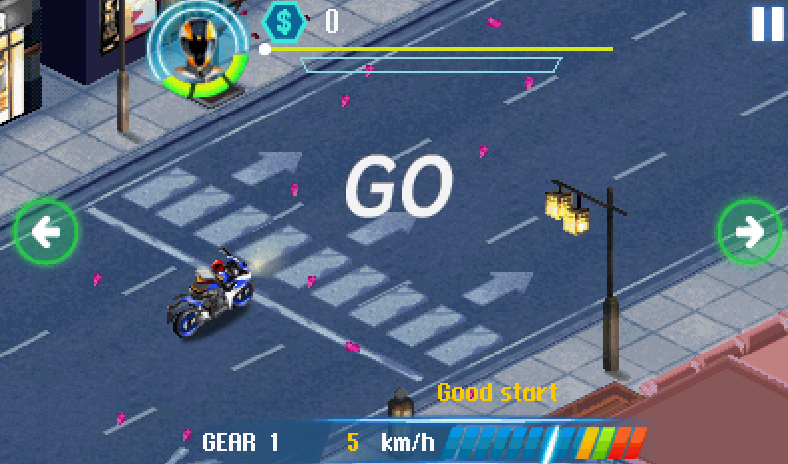
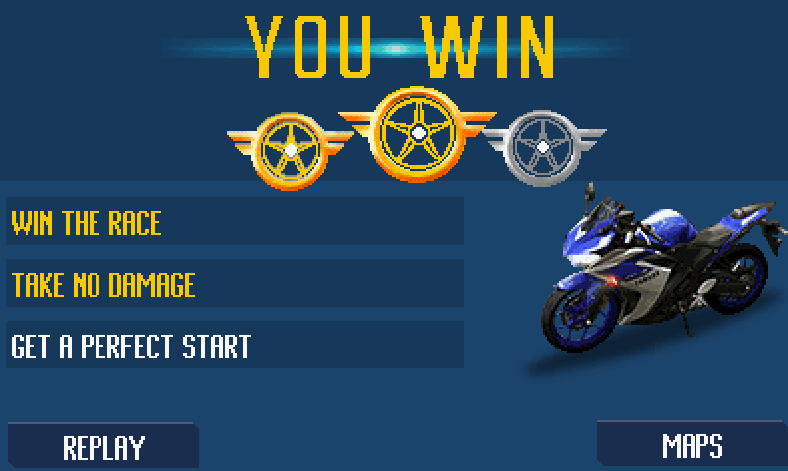
Game Screenshots
First Launch: What You See & What to Tap
When you boot the game, the title screen hits you with engine revs and a slick bike graphic. Here is what you need to know.
Press 5 to get past the title screen. You will land on the Main Menu. Use 2 and 8 to move your cursor up and down. The options you will see are:
- Quick Race — One race, any bike you have unlocked, no consequences. Perfect for practice.
- Career — The real game. Progress through stages, earn cash, unlock bikes, fight bosses.
- Time Attack — Race against the clock. Good for learning tracks without pressure.
- Multiplayer — Two-player mode on the same phone or via Bluetooth. Rarely used but fun if you have a friend.
- Options — Sound, vibration, difficulty. I recommend turning vibration off after your first few races. It drains battery and gets annoying.
Press 5 to select anything. Press the right soft key to go back. That is your bread and butter.
Before you race, go into Options and set difficulty to Easy if this is your first time. You can bump it up later. Trust me, Easy still puts up a fight.
The Garage: Bikes, Upgrades & Stats
After you pick Career mode, you will start in your Garage. This is your home base. Here is what you are looking at.
Your Bike List
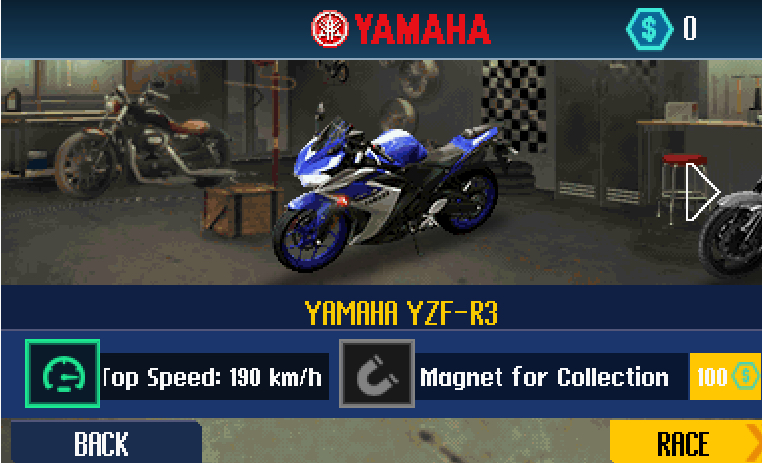
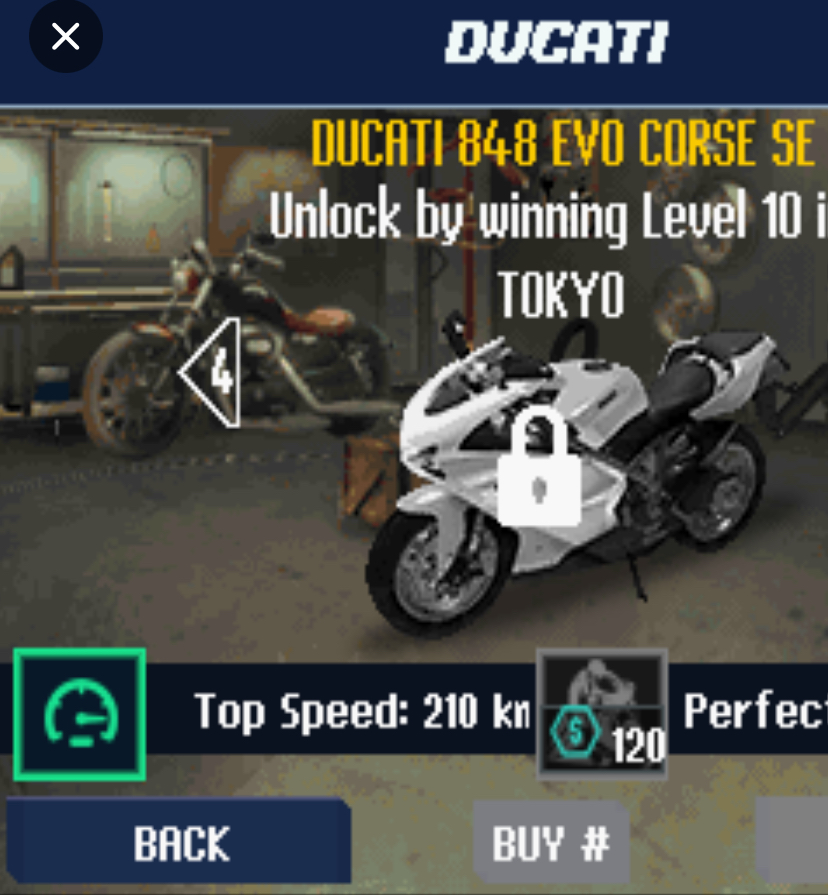
You start with one basic bike. Something like a 250cc street model. It is slow. It is ugly. It is yours. As you win races, you unlock better machines. Each bike has stat bars:
- Top Speed — How fast the bike goes in top gear.
- Acceleration — How quickly it gets off the line and builds speed.
- Handling — How stable the bike is during shifts and nitro use.
- Nitro — How much boost you have and how fast it recharges.
Upgrades
You spend cash here. There are three categories:
- Engine — Boosts top speed and acceleration. Always prioritize this early.
- Tires — Improves handling and launch grip. Buy this after your first two engine upgrades.
- Nitro System — Increases boost capacity. Save this for mid-game when races get tight.
My First-Bike Pick
I stuck with the starter bike for the first three career stages. Why? Because upgrading a cheap bike is more cost-effective than buying a new stock bike. I dumped everything into Engine level 3 before I even looked at the next tier. That bike carried me to the first boss race. Do not rush to buy new rides. Make the one you have dangerous first.
How to Play: The Complete Controls Breakdown
This is the meat of the guide. Pay attention.
Menu Navigation
- 2 — Move cursor up
- 8 — Move cursor down
- 5 — Select / Confirm
- Right Soft Key — Back / Cancel
- Left Soft Key — Accept / Context action
During a Race
- 5 — Hold to rev engine at the start line
- 4 — Shift down (rarely used)
- 6 — Shift up (this is your lifeline)
- 2 — Activate nitro boost
- 8 — Brake (almost never needed in drag racing, but it exists)
- * or # — Pause the race
The Launch Sequence (Step by Step)
This is where races are won or lost. Follow this exactly.
- Wait for the countdown. You will see three lights. Red, red, red, then green.
- Hold 5 as soon as the race loads. Your engine starts revving. Watch the RPM meter on the screen.
- Release 5 the instant the green light flashes. Not before. Not after. The instant. If you release early, you get a weak launch. If you release late, you bog down.
- Tap 6 immediately to shift into second gear. Do not wait for the RPM needle to hit red. Shift at about 80 percent of the red zone.
- Keep tapping 6 as the needle climbs. The rhythm is: rev, shift, rev, shift, rev, shift. You want to stay in the high RPM range without redlining.
- Press 2 when your nitro bar is full and you are in top gear. Do not waste nitro in first or second gear. Wait until you are maxed out and need that final push.
What Happened to Me: A Real Play Example
I was on Stage 4, racing a guy named Viper on the highway track. I had a perfect launch. I was ahead by half a bike length. Then I got greedy. I saw the RPM needle touching red and I thought, “One more second and I will shift.” I was wrong. The engine stuttered. Viper flew past me. I lost by a full second. The next race, I shifted at 80 percent RPM every time. I beat him by two bike lengths. The lesson? Patience beats greed. Every time.
Racing Strategy: How to Actually Win
Perfect Launch Timing
The green light window is tiny. Maybe half a second. Here is the trick: do not watch the lights. Watch the rhythm. The three red lights blink in a pattern. The green follows that pattern. Count it in your head. One, two, three, green. Release 5 on green. Practice in Quick Race until you can do it without thinking.
Gear Shift Rhythm
Every bike has a different shift point. The starter bike likes early shifts. The 1000cc superbike wants to scream near redline. Learn your bike. If you hear the engine sound get rough and choppy, you shifted too late. If you feel sluggish out of the shift, you shifted too early. The sweet spot is a clean, crisp sound and a visible surge forward.
When to Use Nitro
Save it for the final third of the race. Using nitro early gives you a lead that evaporates when the AI catches up. Using it late gives you a burst nobody can answer. The exception: if you botch your launch and fall behind immediately, use nitro in third gear to catch up. But only then.
Reading Opponent Patterns
The AI in Career mode has habits. Early opponents launch poorly. Middle opponents shift early. Bosses have perfect launches but predictable nitro timing. Watch them. If a boss always uses nitro at the same spot, save yours for right after and blow past them.
Career Mode Walkthrough
Career mode is structured in stages. Each stage has multiple races, a mini-boss, and a final boss.
Stage 1: The Streets
- Opponents are slow. Focus on learning the launch.
- Upgrade your engine once. That is all you need.
- Boss: A guy on a 600cc. He launches okay but shifts late. Beat him by shifting clean.
Stage 2: The Docks
- Track has a slight visual distraction (cranes, water). Ignore it. Focus on your RPM meter.
- Opponents start using nitro. Do not panic. Stick to your rhythm.
- Boss: A rider with a nitro-heavy bike. She will boost early. Let her. Pass her in the final stretch with your saved nitro.
Stage 3: The Highway
- Longer track. Top speed matters more than acceleration.
- Consider your first tire upgrade here for stability at high speed.
- Boss: The first real test. Perfect launch required. Shift discipline required. Save nitro for the last 20 percent of the track.
Stage 4 and Beyond
- Difficulty spikes hard. You need a new bike by Stage 5. Do not try to brute force it with upgrades alone.
- Boss races are best-of-three. Lose once? You get another shot. Use the first race to learn their pattern.
Money Farming Tip
If you are short on cash, replay Stage 1 and 2 bosses. They are easy wins with your current bike and pay decent money. Grind two or three races, upgrade, then move forward. Do not bang your head against a Stage 4 boss with a Stage 2 bike.
Beginner Mistakes to Avoid
1. Redlining Every Gear
I see this constantly. New players think red means go. Red means danger. If the needle sits in red for more than a split second, you lose acceleration. Shift earlier than you think you should. You can always adjust later.
2. Wasting Nitro at the Start
Hitting 2 off the line feels cool. It is also a waste. Nitro is finite. The AI saves theirs. If you blow yours early, they will blow past you at the end. Wait. Be patient.
3. Buying Visual Upgrades Before Performance
There are no visual upgrades in this game, but the mindset applies. Do not get attached to a shiny new bike with stock stats. Upgrade what you have. A maxed-out mid-tier bike beats a stock top-tier bike every time.
4. Ignoring the RPM Meter
Some players try to shift by sound or feel. The meter is there for a reason. It is more accurate than your ears. Glance at it every shift. Eventually you will internalize it. Until then, use the tool.
5. Skipping Practice Races
Quick Race and Time Attack are not wastes of time. They are where you learn. I spent twenty minutes in Time Attack before my first boss race. I learned the shift points. I won on my first try. Practice is not boring. Losing is boring.
6. Not Checking Opponent Stats
Before every race, you see your opponent’s bike. If their top speed bar is double yours, do not race them yet. Back out. Upgrade. Come back. Pride loses races.
Advanced Tips & Hidden Mechanics
The Perfect Shift Window
There is a tiny window, maybe three frames, where shifting gives you a mini-boost. You will feel it. The bike surges forward slightly more than usual. This happens when you shift at exactly 85 percent of redline. It is not random. It is learnable. Once you find it, you will win races by bike lengths instead of inches.
Opponent AI Quirks
- Early AI riders never use nitro in first gear. They always wait until third.
- Mid-tier AI riders panic if you take the lead early. They will shift early and lose speed trying to catch up. Let them.
- Boss AI has a weakness: they shift at the same RPM every time. Watch them once. Memorize it. Shift a split second later and you will edge them out.
Money Farming Strategy
Replay the Stage 2 mini-boss. He is easy, pays 300 cash, and takes thirty seconds. Do this five times. That is 1500 cash. Enough for a solid engine upgrade. Grind smart, not hard.
The Fastest Bike for Each Stage
- Stages 1-3: Maxed-out starter bike.
- Stages 4-5: 750cc sport bike, engine level 3.
- Stages 6-7: 1000cc superbike, full engine and nitro.
- Final Stage: The unlockable drag prototype. You get it by beating the final boss. Use it to mop up anything you missed.
Comparison with a Game I Played: MotoGP ’07 (Java)
I spent a lot of time on MotoGP ’07 back in the day. Same era. Same phone. Completely different game.
MotoGP ’07 is a circuit racer. You have corners. You have brake points. You have lean angles. The controls are 4 and 6 to steer, 2 to accelerate, 8 to brake, and you are constantly juggling all three. It is technical. It is satisfying. But it is slow. A race takes five minutes. You mess up one corner and your whole lap is ruined.
Rival Wheels is the opposite. No corners. No brake points. Just a straight line and your timing. A race takes twenty seconds. You mess up one shift and you can still recover. It is instant. It is punchy. It is the game I boot up when I have two minutes waiting for a bus. MotoGP ’07 is the game I play when I want to sit down and focus.
What MotoGP ’07 taught me was line discipline and patience. What Rival Wheels taught me was reaction speed and rhythm. They are both racing games, but they exercise different muscles. If you love the tension of a perfect lap, play MotoGP. If you love the raw rush of a perfect launch, play Rival Wheels. I play both. But if I had to pick one for a desert island phone, it would be Rival Wheels. It just feels better in short bursts.
Why This Game Still Holds Up
There is something pure about Rival Wheels. Modern racing games throw graphics and open worlds and customization at you. This game throws one thing: the launch. The moment when the green light hits and your thumb releases 5 and the bike surges forward. That feeling does not age. It does not need better pixels. It just needs you to hit the timing right.
The upgrade loop is tight. The races are short. The difficulty curve is fair. You always know why you lost, and you always know how to fix it. That is rare. That is valuable. That is why I still think about this game.
Conclusion
Rival Wheels is not about being the fastest. It is about being the most precise. Nail your launch. Find your shift rhythm. Save your nitro. Do those three things and you will go from last place to first. I lost a lot of races learning this. You do not have to. Get in the garage, pick your bike, and go burn some rubber.
Got a favorite bike or a boss that took you forever to beat? Drop it in the comments. I want to hear your war stories.

Please send more game and i will like to read more.
But bro, I played the game today and in fact, I was able to win my first RACE! Thank you so much.