Minecraft: Legend of the Notch Java Game
 By Nathaniel AriyoPublished · 12 min read
Do you want to get practical knowledge on how to play Minecraft Java game? Not the PC version. Not the pocket edition. Not even the console one. I am talking about the one on small screen phones. Then, you’re in the right blog.
You build. You survive the night. You fight creepers with a sword made of… well, pixels.
This guide is for anyone who wants to actually play the game and not just read about it. I will walk you through every menu, every button press, every mistake I made so you do not have to repeat them. No fluff. Just what works.
Quick Game Facts
| Field | Detail |
|---|---|
| Full Title | Minecraft: Legend of the Notch |
| Platform | Java Mobile (feature phones) |
| Genre | Action-Adventure / Survival |
| Release Era | Late 2000s to early 2010s |
| Developer | Mojang / licensed mobile partner |
| Game Modes | Story-driven adventure |
| Controls | Numeric keypad (2, 4, 6, 8, 5, etc.) |
What Is Legend of the Notch? — History & Background
Before Minecraft became the best-selling game ever, it was a small indie project by a guy named Markus Persson. Everyone called him Notch. He built Minecraft block by block in his free time. As the game exploded, mobile publishers wanted a piece of that fame. But smartphones were not everywhere yet. Most people still carried flip phones and candy bar phones with numeric keypads.
That is where Legend of the Notch comes in. It is an official Minecraft spin-off built specifically for Java mobile phones. It is not the full Minecraft experience. You cannot explore infinite worlds or play multiplayer. But it captures the core feeling: punch a tree, craft a tool, survive the dark.
The game tells a loose story about Notch himself, framing the adventure around his journey. It is short. It is simple. But for its time, it was mind-blowing to have Minecraft in your pocket. Today, it is a fun piece of gaming history that still plays surprisingly well if you know what you are doing.
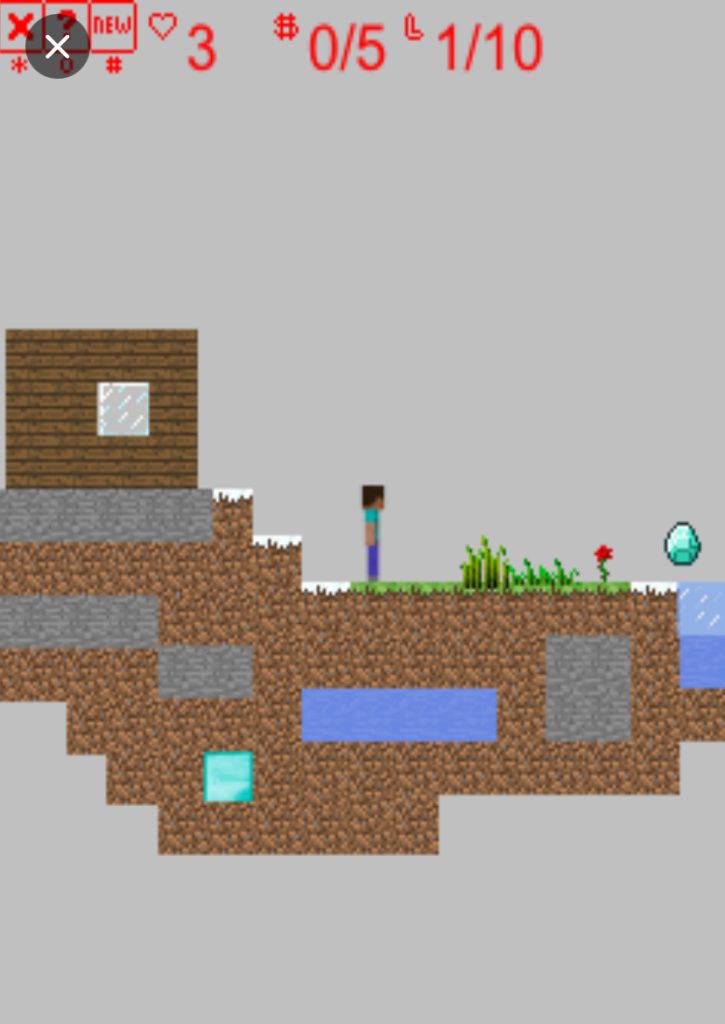
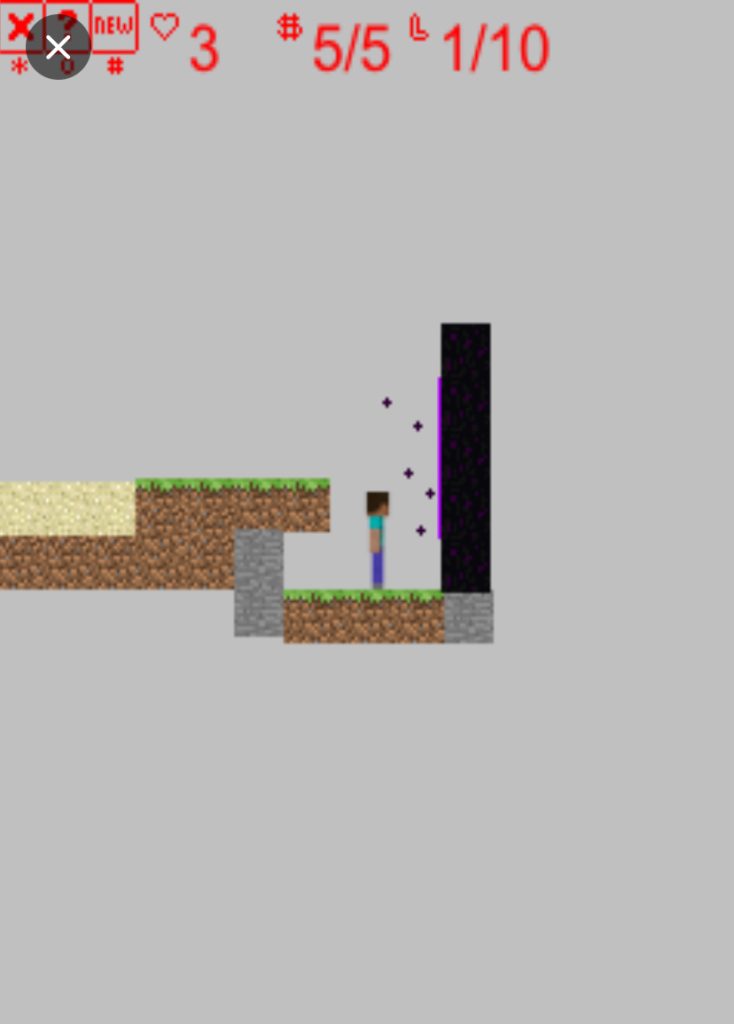
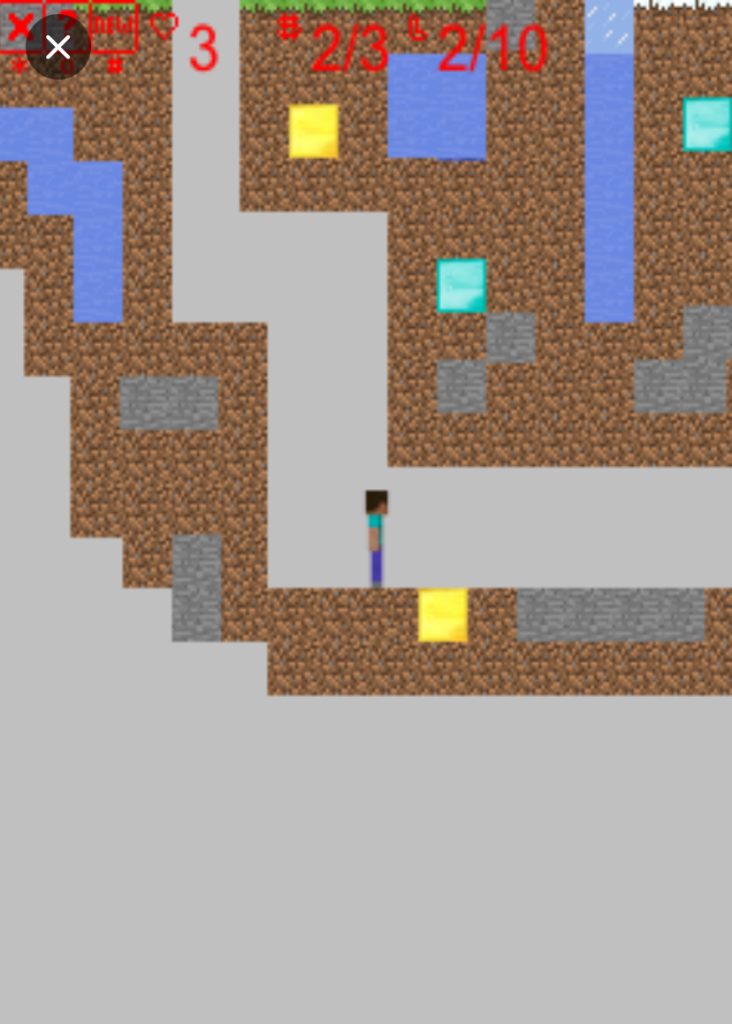
Screenshots of the game
First Launch: What You See & What to Do
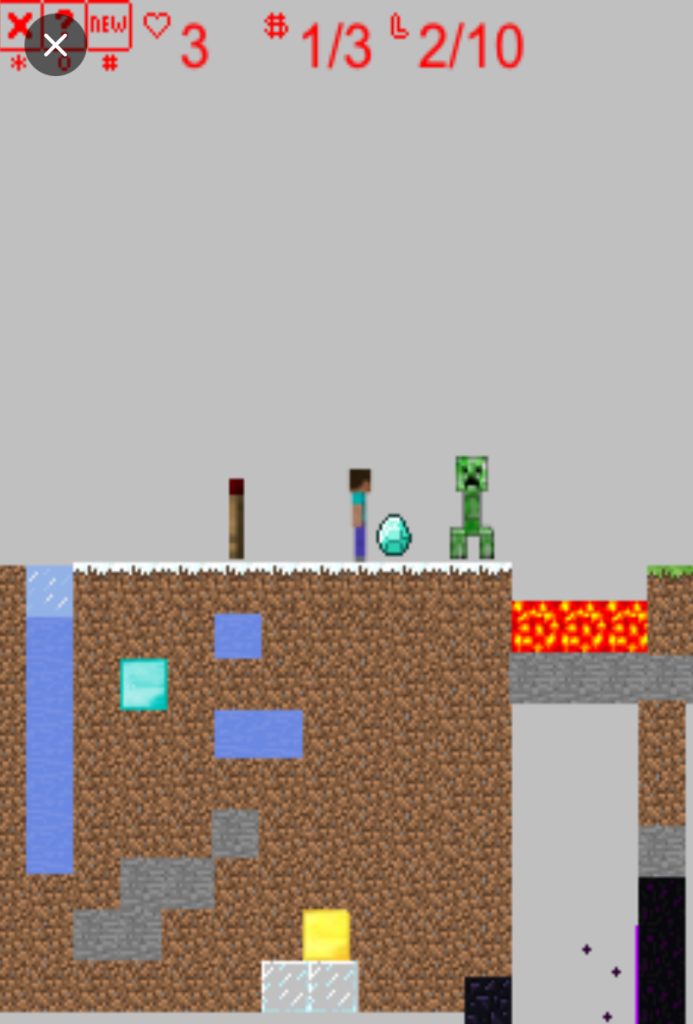
When you start the game, you see a Mojang logo, then a loading bar. Be patient. Old Java games take a few seconds to boot.
Then the title screen appears. You see a pixelated landscape with the game name on top. Below that, a menu with these options:
- New Game — starts fresh. Do this if you have never played before.
- Continue — loads your last save. Only works if you saved previously.
- Options — sound on/off, difficulty settings if available.
- Help — basic control info. Useful but vague.
What I did: I pressed Continue on my first try. Nothing happened. No save file existed yet. I had to back out and press New Game instead. Start with New Game. Always.
In Options, I recommend turning sound ON. The 8-bit music is actually good. If the game lags on your device, try turning sound OFF. But test with it on first.
How to Play Mincraft Java Game: The Complete Controls & Walkthrough
Menu Navigation
Your phone has a numeric keypad. Here is how every button works in menus:
- 2 = move cursor UP
- 8 = move cursor DOWN
- 4 = move cursor LEFT
- 6 = move cursor RIGHT
- 5 = SELECT / CONFIRM
- * or left soft key = BACK / CANCEL
- # or right soft key = PAUSE / OPTIONS
That is it. No touch screen. No analog stick. Just these buttons.
In-Game Movement & Actions
Once you are in the actual game, the same buttons control your character:
- 2 = walk UP (toward top of screen)
- 8 = walk DOWN (toward bottom of screen)
- 4 = walk LEFT
- 6 = walk RIGHT
- 5 = ACTION (mine block, attack enemy, interact)
- 1 = JUMP / CLIMB (context sensitive)
- 0 = PLACE BLOCK / USE ITEM
- 7 = OPEN INVENTORY
- # = PAUSE GAME
First Playthrough Walkthrough
Step 1: The Spawn
You appear in a grassy area. Look around. You see trees, dirt, maybe some stone. The sky is bright blue. That means it is daytime. You have limited time before night falls and enemies spawn.
Step 2: Get Wood Immediately
Walk toward the nearest tree. Position yourself so you are touching the trunk. Press 5 repeatedly. Each press mines one block of wood. You need at least 10 wood blocks to start.
I made the mistake of walking around exploring first. Bad idea. Daytime is short. Every second matters.
Step 3: Open Your Inventory
Press 7. You see a crafting grid and your collected items. Navigate to your wood blocks using 2, 4, 6, 8. Press 5 to select them. If the game has an auto-craft option, craft wooden planks first, then a crafting table if available.
If not, craft the basics directly: a wooden pickaxe and a wooden sword.
Step 4: Craft Your First Tools
In the inventory/crafting screen:
- Select wood planks, press 5
- Navigate to the tool recipe you want
- Press 5 again to craft
Priority order:
- Wooden Pickaxe — lets you mine stone
- Wooden Sword — lets you fight enemies
- Torches — if available, place them to stop enemy spawns
Step 5: Mine Stone
Find grey patches on the ground or stone walls. Stand next to them. Equip your pickaxe in the inventory if needed, then press 5 to mine. Stone mines slower than wood but gives better materials.
I tried mining stone with my bare hands at first. It took forever and gave me nothing. Always use the right tool. Pickaxe for stone and ore. Sword for enemies. Hands for dirt and wood only.
Step 6: Build Shelter Before Night
Look at the sky. If it starts turning orange or dark blue, night is coming. You need walls around you FAST.
Find a flat spot. Open inventory. Select dirt blocks or wood planks. Press 0 to place a block in front of you. Build a simple box around yourself: 4 walls, no roof needed if you are in a rush. Leave one gap as a door.
What happened to me: I built a 2-block high wall. A skeleton shot me over it. Build at least 3 blocks high if you have time.
Step 7: Survive the Night
If you are inside your shelter, enemies cannot reach you. Use this time to craft more tools, organize your inventory, or mine downward if you built over a cave.
If you are caught outside when enemies appear, here is the combat flow:
- Enemy spots you. It starts moving toward you.
- Press 4 or 6 to dodge sideways. Do not run straight back. Enemies are often faster than you.
- When the enemy finishes its attack animation, press 5 to strike with your sword.
- Repeat. Dodge sideways, attack, dodge sideways, attack.
Critical tip: Never fight more than one enemy at a time. If two zombies approach, use 8 to retreat, then circle around so only one can hit you at a time.
Step 8: The Next Day
When the sky turns blue again, enemies burn or despawn. Now you explore. Look for coal (black spots in stone) to make torches. Find better ores. Expand your shelter into a base.
Learn how to Combat in Minecraft Java game
Enemies in Legend of the Notch are simpler than the PC version but still dangerous if you panic.
Zombies: Slow. Easy to dodge. Walk toward you in a straight line. Circle them with 4 and 6, hit with 5.
Skeletons: Shoot projectiles. The trick is to move perpendicular to them. If a skeleton is to your right, press 2 or 8 to move up or down while closing the distance. Once you are next to them, spam 5.
Creepers: These explode if you let them get too close. When you see one, immediately back away with 8. If it starts flashing, run. Do not try to fight it unless you are confident. Use a bow if you have one.
Spiders: Fast and can sometimes jump. They are easiest to fight in open areas where you can dodge. In tight spaces, they corner you. Lure them out.
Mining & Resource Gathering
Efficient mining makes the difference between struggling and thriving.
Surface mining: Walk around. Look for exposed stone with black or brown spots. Stand on them. Press 5 with your pickaxe equipped.
Digging down: Stand on dirt or stone. Press 5 repeatedly. You dig straight down.
Warning: I dug straight down once and fell into a cave full of enemies. I died in three seconds. Always dig in a staircase pattern: dig down one block, move forward one block with 6, dig down again. This way you see what is below you before you fall into it.
What to prioritize:
- Coal (torches, smelting)
- Iron (better tools, armor)
- Gold (if available, rare but useful)
- Redstone (if in this version, for advanced crafting)
Crafting System Explained
Press 7 to open inventory. The screen shows your items on one side and possible crafts on the other.
Navigate with 2, 4, 6, 8. Highlight an item. Press 5 to select it. If you have the right materials, the craft completes instantly.
Essential crafts:
- Planks = wood block (basic building material)
- Sticks = two planks (needed for tools)
- Pickaxe = sticks + planks/stone/iron (mining)
- Sword = sticks + planks/stone/iron (combat)
- Torches = coal + stick (light, stops enemy spawns)
I spent my first playthrough not knowing sticks were separate from planks. I could not craft anything good. Make sticks first. They are the backbone of every tool.
Key Features Breakdown
Story Mode: Unlike sandbox Minecraft, Legend of the Notch has objectives. NPCs give you tasks. Complete them to advance chapters. The story is light but gives direction. You are not just surviving; you are progressing.
Day/Night Cycle: The core tension of the game. Day is safe. Night is deadly. The cycle is fast, maybe 3 to 5 minutes per phase. It forces you to plan. Every expedition needs a time limit.
Building: You can place blocks, but the system is simpler than PC Minecraft. No redstone circuits. No complex mechanics. Just walls, floors, and basic structures. It is enough to feel creative without overwhelming you.
Boss Encounters: Later chapters feature bigger enemies. These require preparation. Stock up on food, bring your best sword, and build an arena with escape routes.
Beginner Mistakes to Avoid
1: Exploring Before Gathering
I walked around admiring the pixel art for two minutes. Then night came. I had no wood, no tools, no shelter. I died in seconds. Get wood first. Always.
2: Fighting at Night Without a Sword
Your bare hands do almost no damage. If night catches you without a sword, do not fight. Run. Build a quick dirt tower by jumping with 1 and placing blocks with 0 under you. Enemies cannot climb. Wait for morning.
3: Forgetting to Save
Java mobile games crash sometimes. If you progress for 20 minutes without saving, you might lose everything. Pause with #. Look for Save. Press 5. Do this often.
4: Mining Straight Down
I already told you my story. Staircase down. Always.
5: Ignoring Torches
If the game has torches, they are not just for light. They stop enemies from spawning near them. Light up your base. Light up your mines. Dark areas equal death.
Advanced Tips for Better Play
Strip Mining: Once you have a pickaxe, dig a long hallway at the stone level. Every two blocks, dig side tunnels. This exposes the most ore with the least effort. Light every tunnel with torches so enemies do not surprise you.
Enemy Traps: Dig a pit two blocks deep. Lure a zombie or skeleton to the edge. They fall in. They cannot jump out. Now you can hit them safely from above.
Inventory Management: You have limited space. Drop dirt and excess wood. Keep only tools, food, torches, and rare ores. If your inventory is full, you cannot pick up that diamond you just found.
Speed Running Early Chapters: Once you know the map, you can skip optional crafting. Rush to the objective marker. Some chapters reward fast completion with better items.
Hidden Mechanics: Some versions let you place blocks while jumping to build upward fast. Test this by pressing 1 then 0 rapidly. If it works, you can build emergency towers in one second flat.
Comparison with a Game I Played
The game I want to compare this to is Terraria. It is also a 2D sandbox where you dig, build, and fight monsters. I played Terraria for months on PC before trying Legend of the Notch.
What they share: Both games have a day/night cycle where night brings enemies. Both have crafting trees where wood leads to stone, which leads to metal. Both reward preparation and punish carelessness. In both games, I died my first night because I thought I had more time.
Where they differ: Terraria is massive. Hundreds of items, bosses, biomes, NPCs. Legend of the Notch is tiny. Maybe 20 craftable items total. The world is not infinite. The story is linear.
What Legend of the Notch does better: It is focused. You always know what to do next. The controls are simple. You can play a full chapter in 15 minutes. Terraria demands hours. Sometimes I want that depth. Sometimes I just want to mine some blocks on a bus ride and feel accomplished.
What Terraria does better: Everything else, honestly. More content, better combat, multiplayer, music, updates. But Terraria is a full PC game. Legend of the Notch is a mobile Java game from 2010. Comparing them is unfair. Yet they scratch the same itch. If you love one, you will probably enjoy the other.
My pick: Play Legend of the Notch when you want nostalgia and quick sessions. Play Terraria when you want to lose a weekend.
>>> game here>>>
Conclusion
Minecraft: Legend of the Notch Java game is not the best Minecraft game. It is not the deepest survival game. But it is a surprisingly solid adventure that fits in your pocket and runs on a phone from 2008. That is impressive.
If you follow this guide, you will survive your first night. You will craft your first iron pickaxe. You will beat the story. And maybe, like me, you will gain a little appreciation for how much game designers could squeeze into so little space.
Now stop reading and start mining. Night is coming. Build that shelter. Press those buttons. And try not to dig straight down. I warned you.